Release notes
Threat Posture: an executive view of external threat activity

Mark Barber September 22, 2026
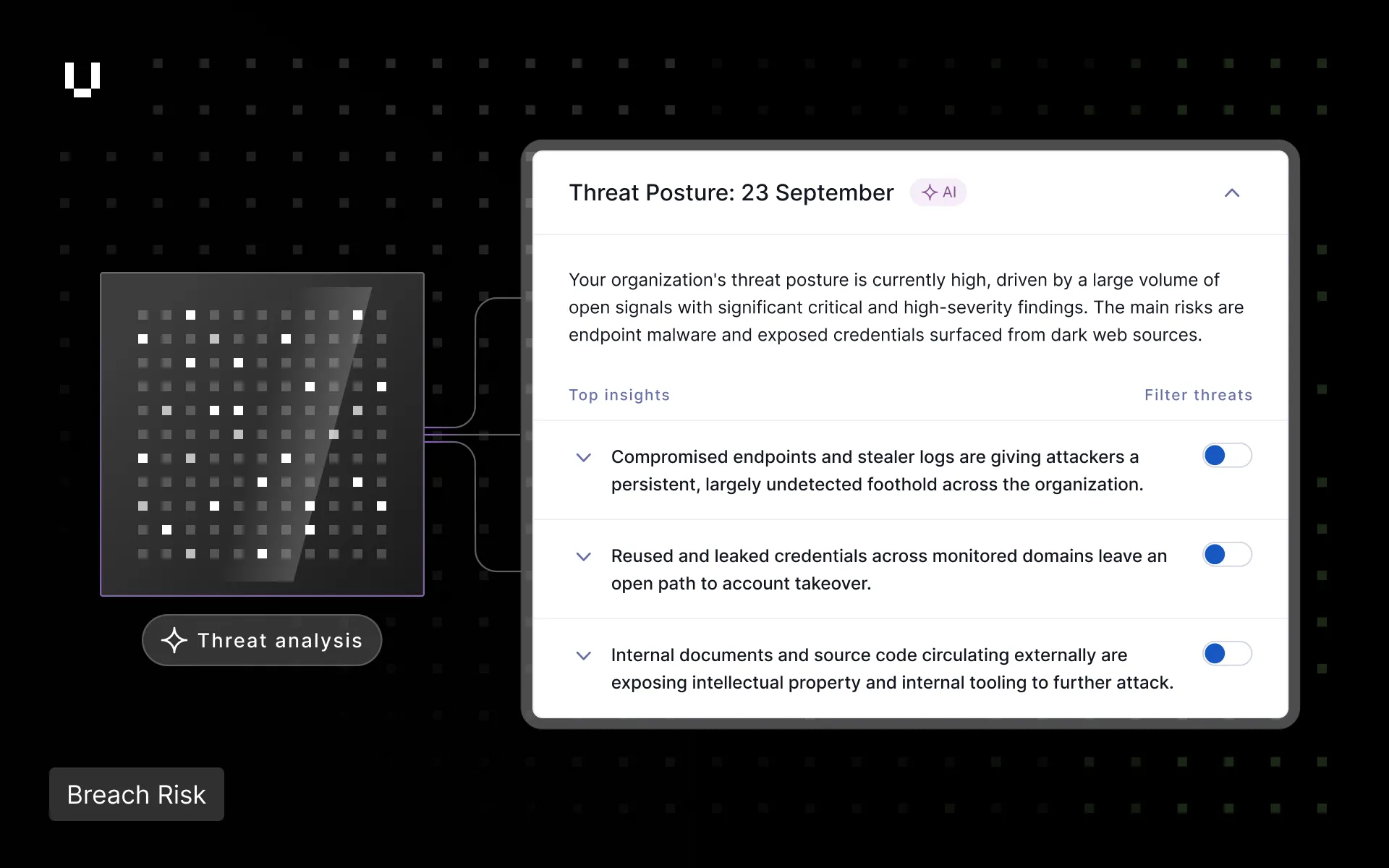
Threat Monitoring no longer stops at the individual threat. When a scan and analysis completes, the Security Advisor reads across every triaged signal in Threat Monitoring and produces a Threat Posture brief: a short, executive-ready read on what the activity around an organization adds up to.
The Threat Analyst works signal by signal. The Security Advisor works one level up, surfacing the patterns behind the noise. Each insight follows the same structure: the pattern observed, why it matters, what it implies about the organization’s controls, and what leadership should prioritize. Recommendations are pitched at leadership priorities rather than individual remediation tasks.
The Threat Posture brief appears on the Threat Monitoring feed page and refreshes weekly. Insights are filterable, and each traces back to its underlying threats, so every statement presented to executives links to the evidence behind it.
Every threat card and threat details page now has a Manage threat button with the same options in the same order, replacing the three-dot menu. Two options have clearer names: No action needed replaces Risk Accepted for threats that do not warrant work, with an optional note, and False match replaces False positive for findings incorrectly attributed to the organization. Exposed credential threats close with a single quick action, and the confirmation message includes an undo option.
UpGuard’s Sanctions and Geopolitical Risks have had their provisional status removed, meaning they now contribute to both Breach Risk and Vendor Risk customers’ security rating. For more information see Geopolitical Risks.
Vendor Risk users can now search both monitored and unmonitored vendors by any part of a vendor’s name or domain. For example searching ‘soft’ will bring up ‘Microsoft’.
Attack surface checks will now show a timeline of user actions that affect the check such as remediation requests and waiving risks. The timeline for both attack surface and evidence checks also show when notes are added or deleted and when documents are selected or deselected.
User Risk administrators can now add an application to their app list and set a usage policy for it before the browser extension detects it. For more information see User Risk: Adding Apps Manually.