Release notes
Configure questions as required

Mark Barber July 16, 2025
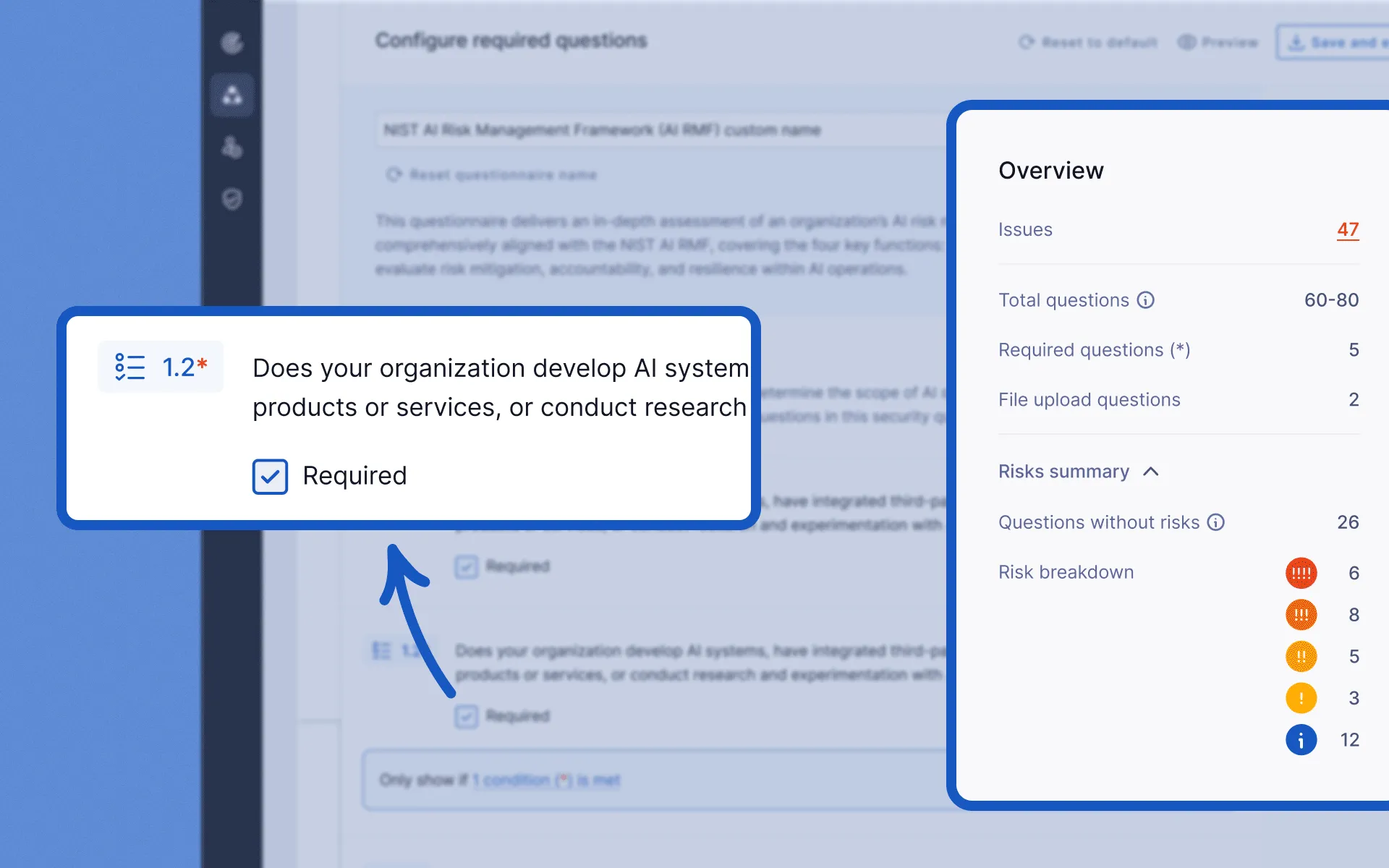
To help get the information you need from vendors, you can now mark questions as required in both default and custom questionnaires. This can be done in the Questionnaire Library when creating a new custom questionnaire or when editing an existing questionnaire.
Required questions are also highlighted to vendors in the questionnaire viewer, making it clear what needs to be answered before they can submit their response.
We’ve also introduced an Overview section in the questionnaire builder to give you better visibility into the breakdown of questions and potential risks that could be flagged.
To learn more see Edit and build questionnaires.
Users can now create custom notifications triggered by updates to their vendor’s attributes. This allows for proactive monitoring of critical vendor information changes, enabling timely responses and improved risk management.
Trust Page administrators can now decide exactly which individual documents and questionnaires a requester can access, instead of turning access protection on or off for the entire Trust Page. This allows for more granular, per-resource access controls on Trust Pages, making it easier for admins to share evidence only with the parties that truly need it.