Release notes
Export typosquatting

Abi Tyas Tunggal February 23, 2021
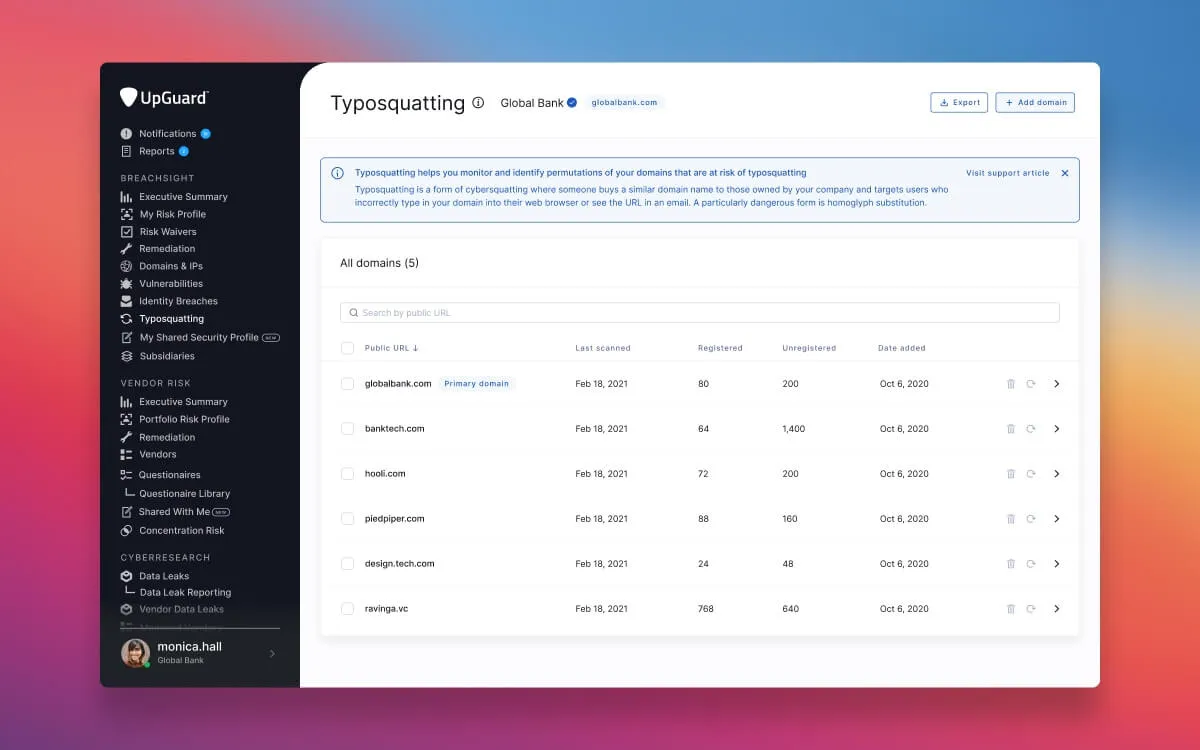
You can now export your list of monitored typosquatting domains, as well as the registered, unregistered, and ignored permutations of a specific domain to PDF or Excel.
Once exported, you can use the permutations in workflows outside the UpGuard platform. This may include adding registered permutations to a default block list for your email gateway, handing them over to your legal team to do takedown outreach, or feeding them into a separate platform.
In addition to these improvements, we’re also introducing filtering for typosquatting. You can filter down the number of typosquatting permutations by selecting a specific type. For example, you may want to identify all the possible typosquatting permutations that are homoglyph substitutions. And when you go to export, you’ll have the option to apply any active filters.
Learn how to export from typosquatting or filter typosquatting permutations results.