Release notes
Support for subsidiaries in your vendor's Risk Profile

Abi Tyas Tunggal July 21, 2021
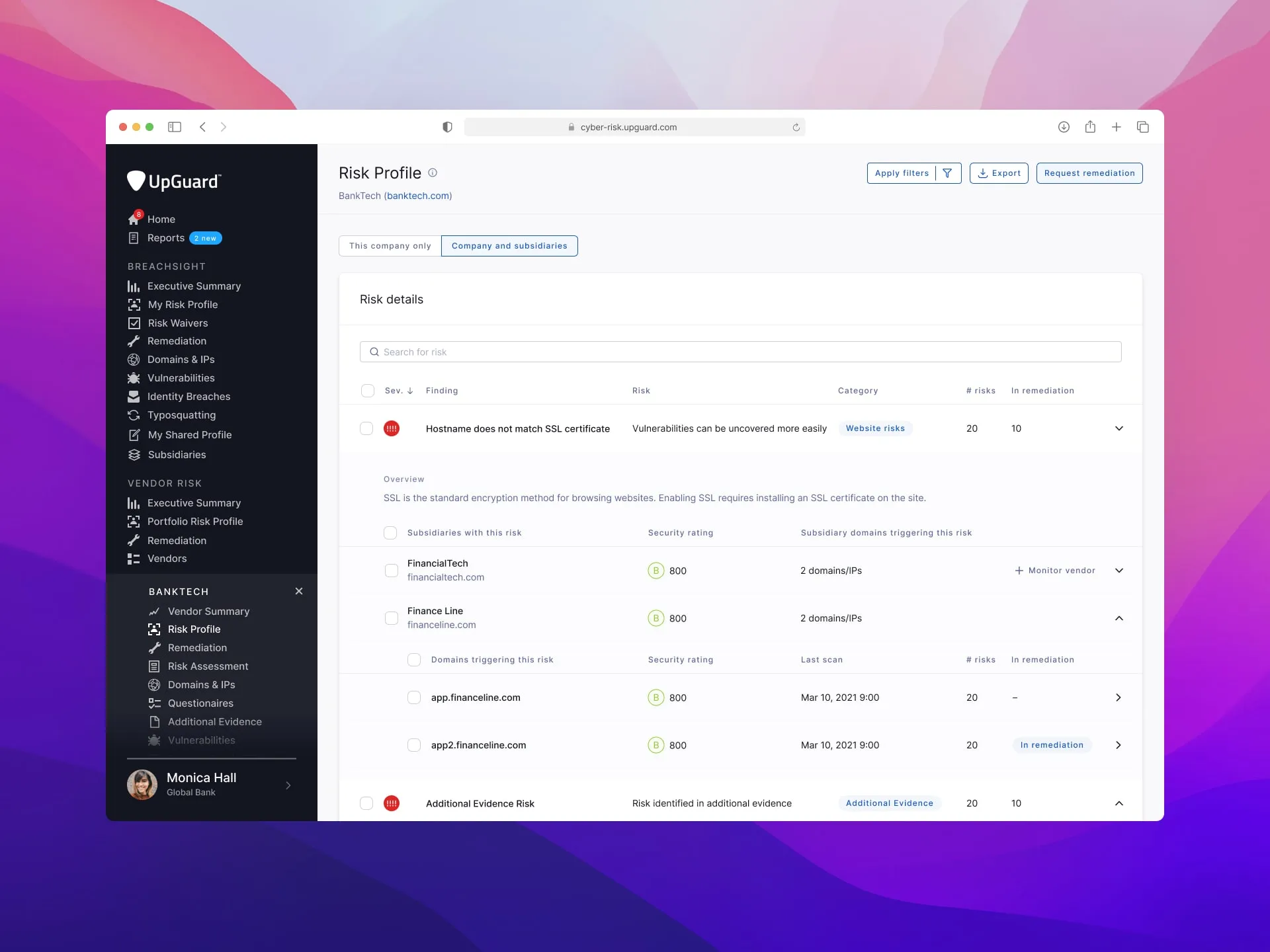
We’ve added support for viewing a vendor and its subsidiaries in its Risk Profile.
This view lets you see all the risks present across the vendor and its subsidiaries. Each of the identified risks has a severity, name, risk type, category, and a number of organizations impacted. By default, findings are sorted by severity, with critical severity items at the top.
You can drill down into each identified risk to see the impacted organizations and their associated domains. However, you will need to be monitoring the subsidiary as a vendor to request remediation or to waive the risk. You can do this by clicking Monitor vendor.
We’ve added support for three new SSL-based checks: