
Severity filtering for risk profiles

We have introduced severity-based filtering for Vendor Risk, Breach Risk and User Risk risk profiles. Users can now filter risks by Critical, High, Medium, or Low severity directly from the sidebar or by clicking on summary widgets, streamlining triage and allowing faster focus on the most critical issues. Filtered severity selections will also carry through to exported risk profile PDF and XLSX reports.
Extended audit log filtering
We've increased the maximum date range for audit log filtering from 30 days to 18 months, with the default view now set to 90 days. This update gives customers greater flexibility for investigating past activities and meeting compliance needs. As always, the Audit Log export feature remains unlimited, allowing you to download your entire historical log at any time.
Vendor Onboarding Portal (Beta) updates
We’ve introduced several new features to streamline the workflow and improve collaboration:
- Add collaborators: Add teammates to contribute directly to onboarding requests.
- Resend capability
- Exports: Full request list and individual form responses
- Email notifications: Stay informed with automated email alerts whenever a new request is submitted.
- Enhanced List View: Main dashboard improvements, including a new "Filter by Request Status" option.
The Vendor Onboarding portal gives eligible organizations a dedicated web form where business users can proactively submit vendor assessment requests, in addition to the existing functionality which allows you to send outbound requests. To learn more, explore the Vendor onboarding portal overview and talk to your UpGuard representative about joining the beta program.
2026 SIG Core & Lite questionnaire updates
We have updated our questionnaire library to include the 2026 SIG Core and Lite questionnaires. This release replaces the 2025 versions, ensuring your assessments reflect the most recent security controls and risk vectors.
Enhancement to add comments to individual risks in remediation requests
To enhance traceability and collaboration we’ve added the ability to add comments at a risk level (rather than a request level) in remediation requests for both Vendor Risk and Breach Risk.
Enhanced social media threat detection
We’ve expanded Threat Monitoring’s social media capabilities to include LinkedIn and Reddit. Customers can now detect potential data leaks, impersonation attempts, and emerging risks across an even wider set of platforms, strengthening visibility into their organization’s digital footprint.
Custom document ordering in Trust Center
We have introduced the ability to manually reorder documents and questionnaires within Trust Centers using a simple drag-and-drop interface. This feature allows Trust Center owners to prioritize critical assets such as security policies or SOC 2 reports at the top of the list, ensuring viewers can find high-value information instantly.

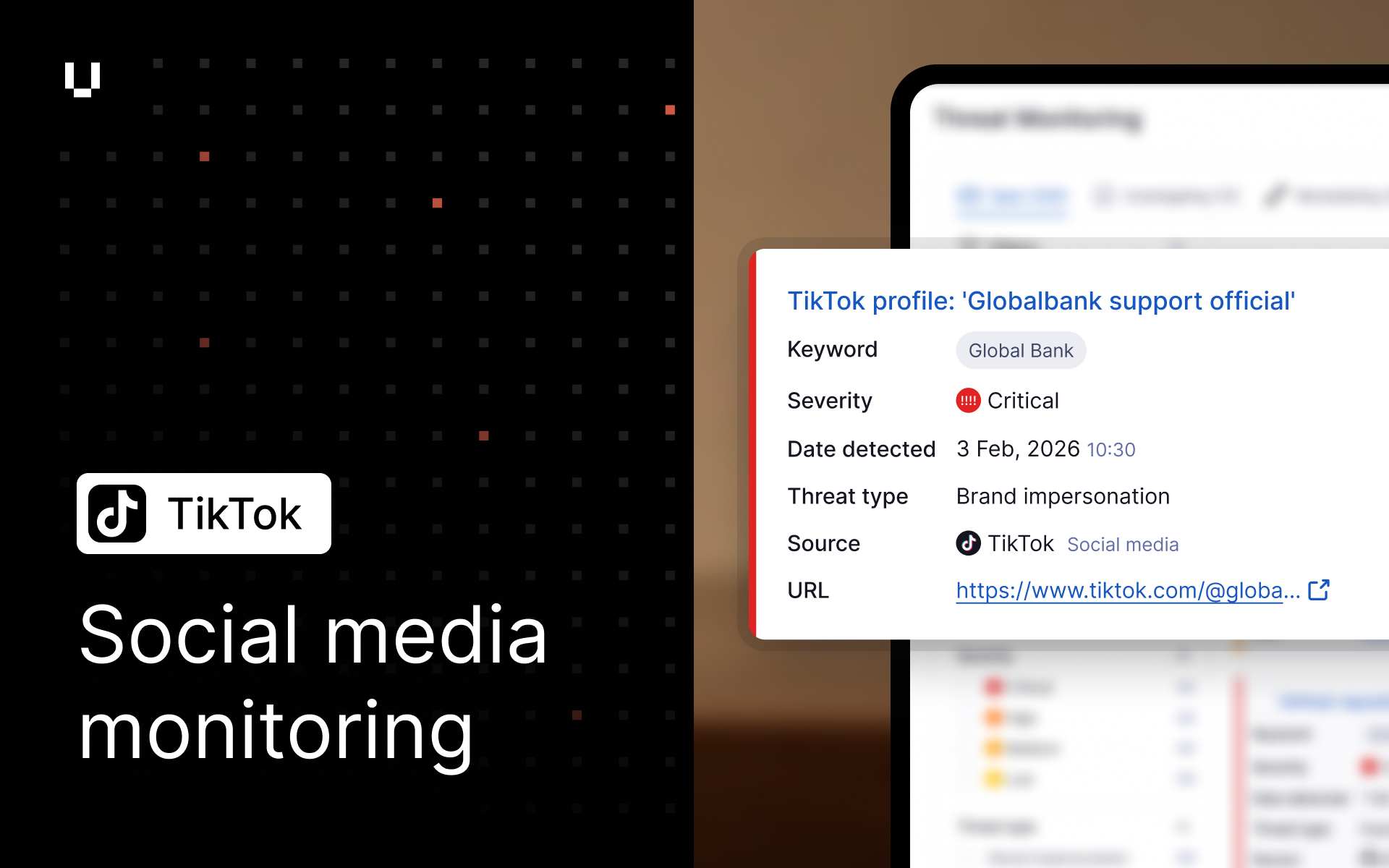
Social media monitoring for TikTok
We’ve expanded Social Media Threat Monitoring to include TikTok, adding brand impersonation detection on a rapidly growing social platform. Combined with existing coverage for Facebook, Instagram and X, this helps customers better identify impersonation and disinformation risks and strengthen protection against brand misuse across social media.
Filtered Threat Monitoring exports
Threat Monitoring exports now respect active UI filters, allowing users to export only the threats in their current view. This ensures exported reports accurately reflect the subset of threats under investigation and removes the need for manual post-export filtering.
White labeled Trust Centers
We have introduced white labeling for Trust Exchange paid customers. This update removes the UpGuard logo and account creation link from published Trust Centers, allowing organizations to communicate their security posture on a portal that looks and feels like their own.
Access to questionnaire data via APIs
We have released APIs to access detailed information on security questionnaires. Users can now integrate questionnaire metadata (like completion percentage), questions, answers, and comments into their internal systems, enabling further automation and custom reporting workflows for vendor assessments.
Relationship questionnaires renamed - Onboarding Requests
In preparation for release on the new Vendor Onboarding Portal feature (currently in beta), we have renamed the existing "Relationship questionnaire" feature to "Onboarding requests" to better reflect their primary use case.
The Vendor Onboarding portal gives eligible organizations a dedicated web form where business users can proactively submit vendor assessment requests, in addition to the existing functionality which allows you to send outbound requests. To learn more see Vendor onboarding portal overview and talk to your UpGuard representative to find out how to join the beta program.
Other improvements
- We have enhanced the Security Profile Risk Assessment AI commentary to factor in check comments made by users, making it more responsive to specific findings.
- We have enhanced the API for listing potential vulnerabilities of a vendor to include whether a vulnerability is a Known Exploited Vulnerability (KEV), allowing users to programmatically identify and prioritize vulnerabilities that are actively being exploited.
- Our monthly import of public vendor security documents has expanded coverage to include 47 new documents, enhancing the data available in vendor’s Security Profiles.
- We have enabled User Risk admins to manually update application details, including description, category, and domain. This flexibility ensures that application inventories remain accurate and reflect internal classifications, improving the organization and reporting of user risk data.
- We have added the ability to apply custom labels to users within User Risk, bringing this functionality in line with Vendor and Breach Risk. This feature allows for more granular organization and easier filtering of user identities, facilitating better risk management and reporting.
- This release includes several bug fixes.

Vendor Onboarding Portal now in Beta
Vendor Risk is introducing a new Onboarding Portal, now available in limited beta for customers on Professional plans and above. It gives organizations a dedicated web form where business users can submit vendor assessment requests, including for unmonitored vendors. Your team can then use an integrated workflow to triage, review and respond to each request, with every step tracked and communicated.
To learn more see Vendor onboarding portal overview and talk to your UpGuard representative to find out how to gain early access.
Access Risk Portfolio data via API
We have released a new set of public APIs enabling access to data available on the Vendor Risk “Risk Portfolio” page. The APIs enable programmatic access to data, a list of all risks across all monitored vendors, a list of all vendors affected by a particular risk and the hostnames of a vendor affected by the risk.
Security Profile Risk Assessment alert
A new alert informs users if a vendor’s Security Profile has changed since they began drafting a Security Profile Risk Assessment report.
Expanded vendor security document coverage
Our monthly import of public vendor security documents has expanded coverage to include 43 new documents, enhancing the data available in vendor’s Security Profiles.
Other improvements
- We have implemented version detection for n8n applications to identify instances vulnerable to CVE-2026-21858 ("Ni8mare")
- This release includes several bug fixes
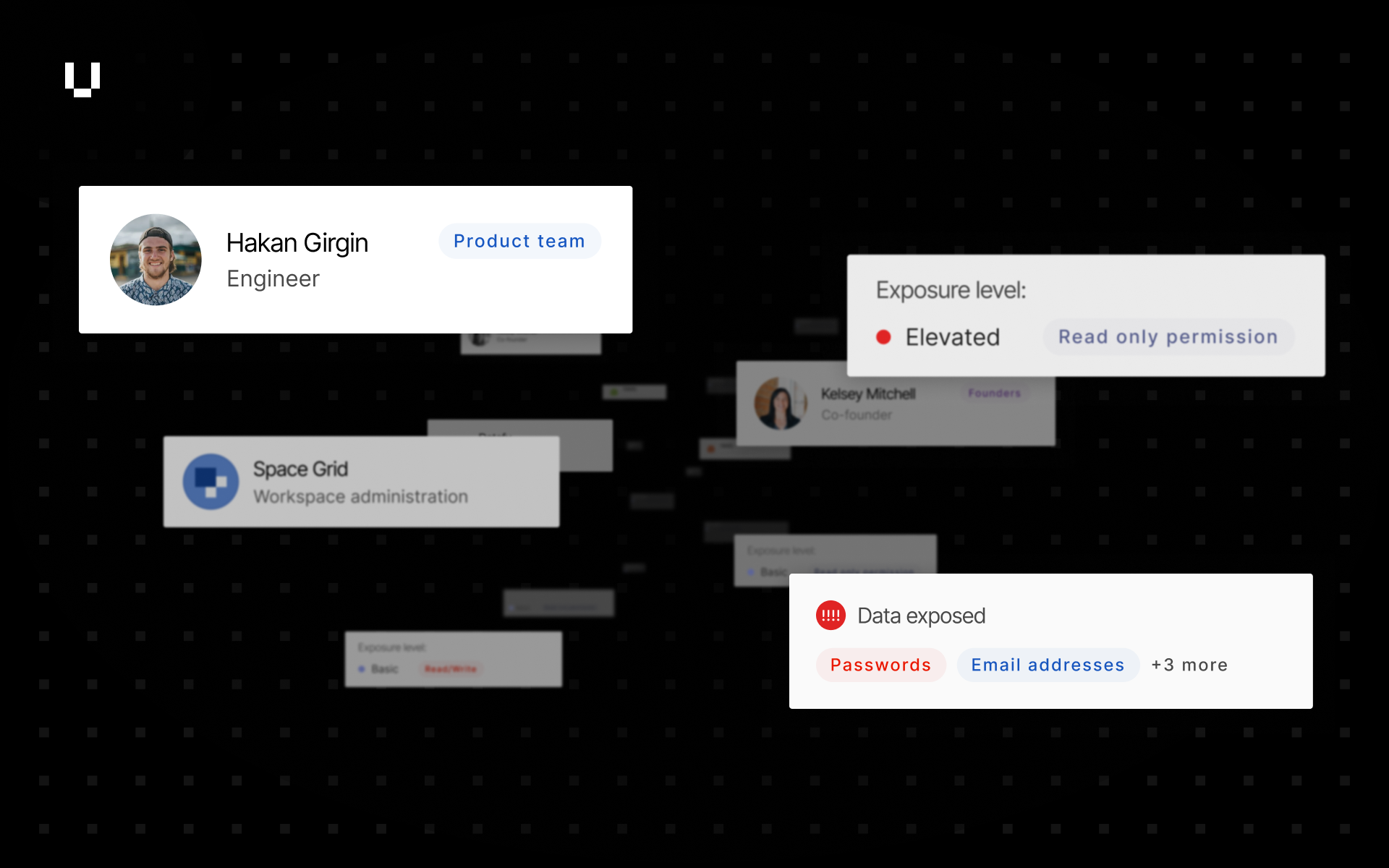
Access User Risk data via APIs
We have released the first set of public APIs for User Risk, a Human Risk Management solution from UpGuard that provides a complete and unified picture of workforce cyber risk. The APIs enable programmatic access to data regarding users, applications, permissions, and identity breaches. This functionality allows users to integrate User Risk insights into their internal systems and reporting workflows.
Detection for open MCP servers
We have added detection for exposed Model Context Protocol (MCP) servers as an informational risk. This new risk helps customers identify if their own infrastructure or that of vendors has open MCP Servers, allowing them to verify if the exposure is intentional or requires stricter access controls.
Remediation management for automated scan risks
Trust Exchange customers can seamlessly integrate their Breach Risk automated scan findings directly into their Security Profile. This update allows users to initiate and manage risk waivers and remediation requests for identified risks within their existing Trust Exchange profile workflow.
Proactive alerts for custom domain misconfiguration
We have introduced automated email reminders and in-app banners to notify Trust Exchange users when their custom domain is misconfigured. Users will now receive alerts at 7 and 30-day intervals if an issue persists, ensuring they can promptly resolve DNS connection problems and maintain Trust Center availability.
Other improvements
- Adding a custom domain or IP address in Breach Risk is now faster and more responsive: the dialog closes immediately while the initial scan runs in the background, and the domain is marked inactive until scanning completes.
- We have resolved an Outlook display issue where questionnaire links appeared as raw text.
- We have renamed Trust Exchange ‘Trust Page’ to ‘Trust Center’ to reflect its role as the central hub for managing and sharing users’ security posture and compliance documentation with customers.
- This release includes several bug fixes.
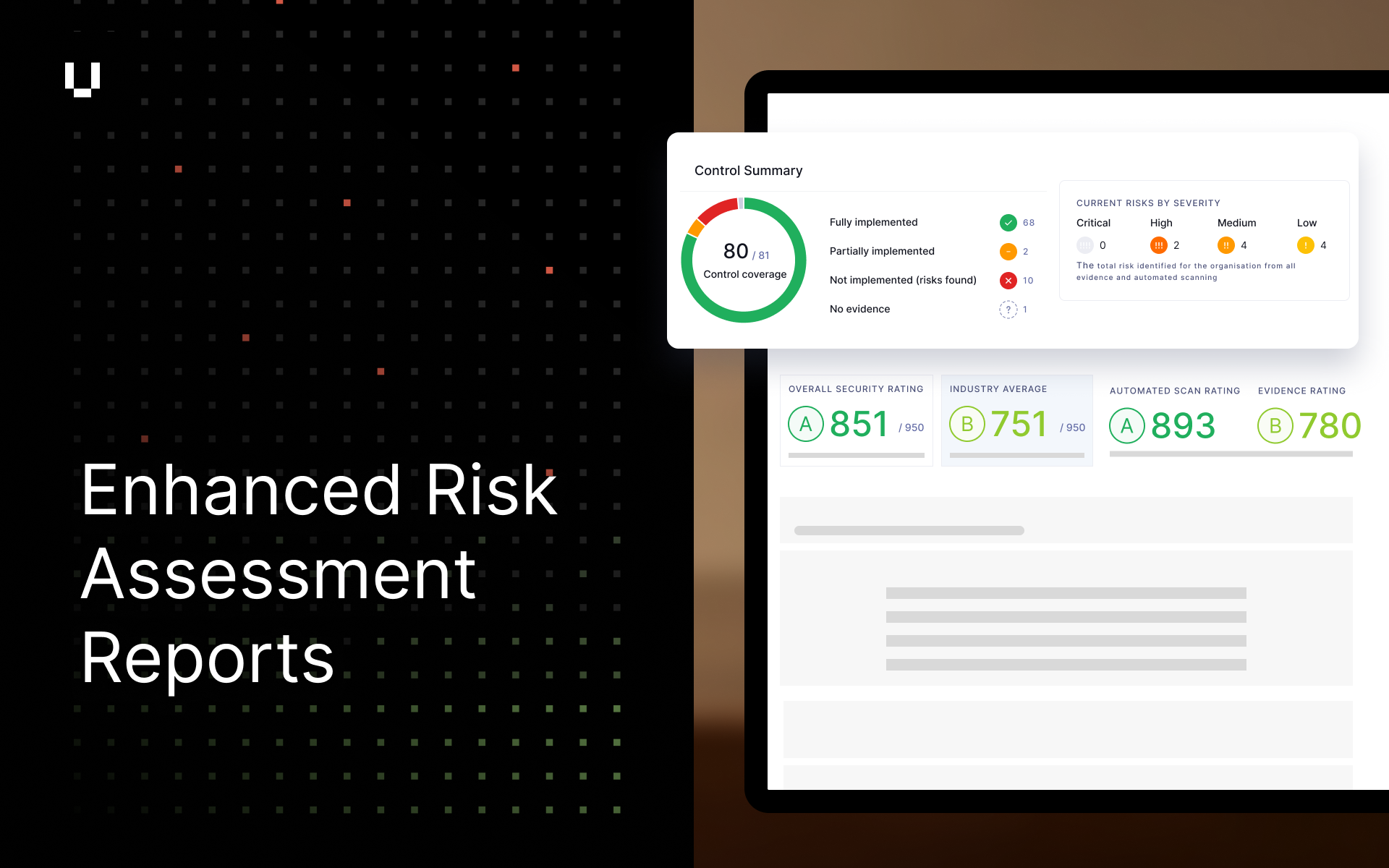
Enhanced Security Profile reporting and customization
We’ve updated our Security Profile Risk Assessment reports to give users more flexibility and consistency. Users can now customize the Assessment Summary section to better tell their risk story by including the summary of control implementation statuses (implemented, partially implemented, not implemented). We’ve also aligned our PDF and Word reports to now include the Risk Summary and Control Summary directly in the report, ensuring users have the data they need, in the format they need.
Past dates for additional evidence expiry
We have updated Additional Evidence to allow users to select past dates for expiration. This flexibility ensures that users can accurately record and manage evidence that has a retrospective expiry date.
Improved product detection for Next.js
Following CVE-2025-55182, a critical remote code execution vulnerability affecting React Server Components, we’ve improved our ability to detect Next.js applications. Because Next.js relies on React Server Components, affected versions of Next.js are also impacted by this vulnerability. Customers can now identify whether their Next.js applications are running vulnerable versions and take action to upgrade to patched releases.
Expanded social media coverage
Our social media coverage has been expanded to include X (formerly Twitter) to detect security-relevant signals, such as impersonation, threats, and coordinated activity, using the same automated triage and workflows used across other Threat Monitoring sources.
Improved audit logging for Trust Center assets
We have enhanced the Audit Log to include granular details (like document names and types) when assets are added or removed from Trust Centers. We have also added Audit Log entries for the creation and deletion of Trust Centers. This update ensures that all lifecycle events of a Trust Center are recorded, providing users with comprehensive oversight of Trust Center management activities.
Other improvements
- We have removed the provisional status for newly introduced risks related to exposed services and existing provisional risks such as HTTPS redirection to insecure protocols and untrusted SSL certificates. These risks will now contribute to the impact score, providing a more accurate reflection of the organization's security posture.
- Users can now display a HiTrust E1 badge on their Trust Centers to demonstrate compliance with HiTrust E1 standards.
- Users can now easily reconcile missing evidence linked to their Trust Centers directly from the evidence side panel.
- Users can now more easily identify their Trust Centers using browser tab titles and an automatic naming structure for duplicated Centers (e.g. "Copy 1").
- We have added a "Share" option to the Trust Center dropdown menu. Users can now easily access sharing capabilities for their Trust Centers directly from the main menu, enabling easy accessibility and collaboration.
- This release includes several bug fixes.
CVE-2025-55182: React RCE Detection
UpGuard now detects a critical remote code execution vulnerability (CVSS 10.0) disclosed on December 3rd, 2025 affecting React Server Components and Next.js applications. This vulnerability allows unauthenticated attackers to execute arbitrary code on vulnerable servers through specially crafted HTTP requests, impacting millions of web applications globally.
CVE-2025-55182 affects React Server Components packages (react-server-dom-webpack, react-server-dom-parcel, react-server-dom-turbopack) in versions 19.0.0, 19.1.0, 19.1.1, and 19.2.0.
Vendor Risk customers can now see if their vendors are impacted by these vulnerabilities, enabling proactive engagement before a breach impacts your supply chain. Breach Risk customers can see if their own infrastructure is impacted, allowing immediate remediation of exposed assets.
.png)
Introducing Multiple Trust Pages per UpGuard account
We have introduced the ability to create, duplicate, manage and publish distinct and customizable Trust Pages, each targeted to a specific product or acquisition. Users can apply custom branding and messaging to each of the Trust Pages to publish the security posture of their different products, ensuring that each product's unique risk profile and compliance story is accurately and professionally conveyed to its specific audience. Users can also easily set up independent Trust Pages for child companies following an acquisition, ensuring each child entity maintains its security profile and unique brand identity.
Multiple Trust Pages expands the range of supported use cases, giving users greater flexibility in how they present and manage their security narrative.
Enhanced PaperCut NG and MF detection
We have added support for product and version detection of both PaperCut NG and PaperCut MF - a commonly used print server in enterprises. Both of these PaperCut products are often exposed on the internet and have high severity vulnerabilities associated with them that are known to be exploited by threat actors. This improvement gains visibility into the product and version running.
Streamlit.io monitoring for vibe coding
Our vibe coding monitoring has been expanded to include support for Streamlit.io as a new source of vibe-coded threats. This enhances our ability to detect impersonation attempts, leaked credentials, and accidental disclosures caused by modern AI-assisted coding platforms.
Expanded identity theft detection and password capture controls
Identity-theft detection has been expanded to include signals from credential-dump sources such as combolists, paste-site publications and other aggregated data leaks where exposed credentials or login pairs appear publicly. As part of this update, customers can now choose how passwords are captured from these sources, selecting between redacted or plain-text collection, or no password collection at all (recommended), based on their security and compliance needs.
Model Context Protocol (MCP) Server Security Questionnaire
We have added a specialized Model Context Protocol (MCP) Server Security Questionnaire to help you assess the unique risks of AI agents connected to third-party tools. This assessment goes beyond standard API security to cover critical agentic threats, including Indirect Prompt Injection, excessive permissions, and supply chain integrity.
New certification badge supported
Users can now display CMMC (Cybersecurity Maturity Model Certification) Level1/2/3 badges on their Trust Pages to demonstrate targeted compliance and credibility. These badges are available to use under Trust Pages > “Security and Compliance” section.
Other improvements
- We have added detection for 142 new products, including Microsoft Azure, Salesforce, Splunk, Nagios Log Server, TeamCity, Cisco DNA Center, TigerVNC, TeamSpeak, TeamCity and others. This change helps customers gain broader visibility into their attack surface and see vulnerabilities associated with new detected products.
- This release includes several bug fixes.
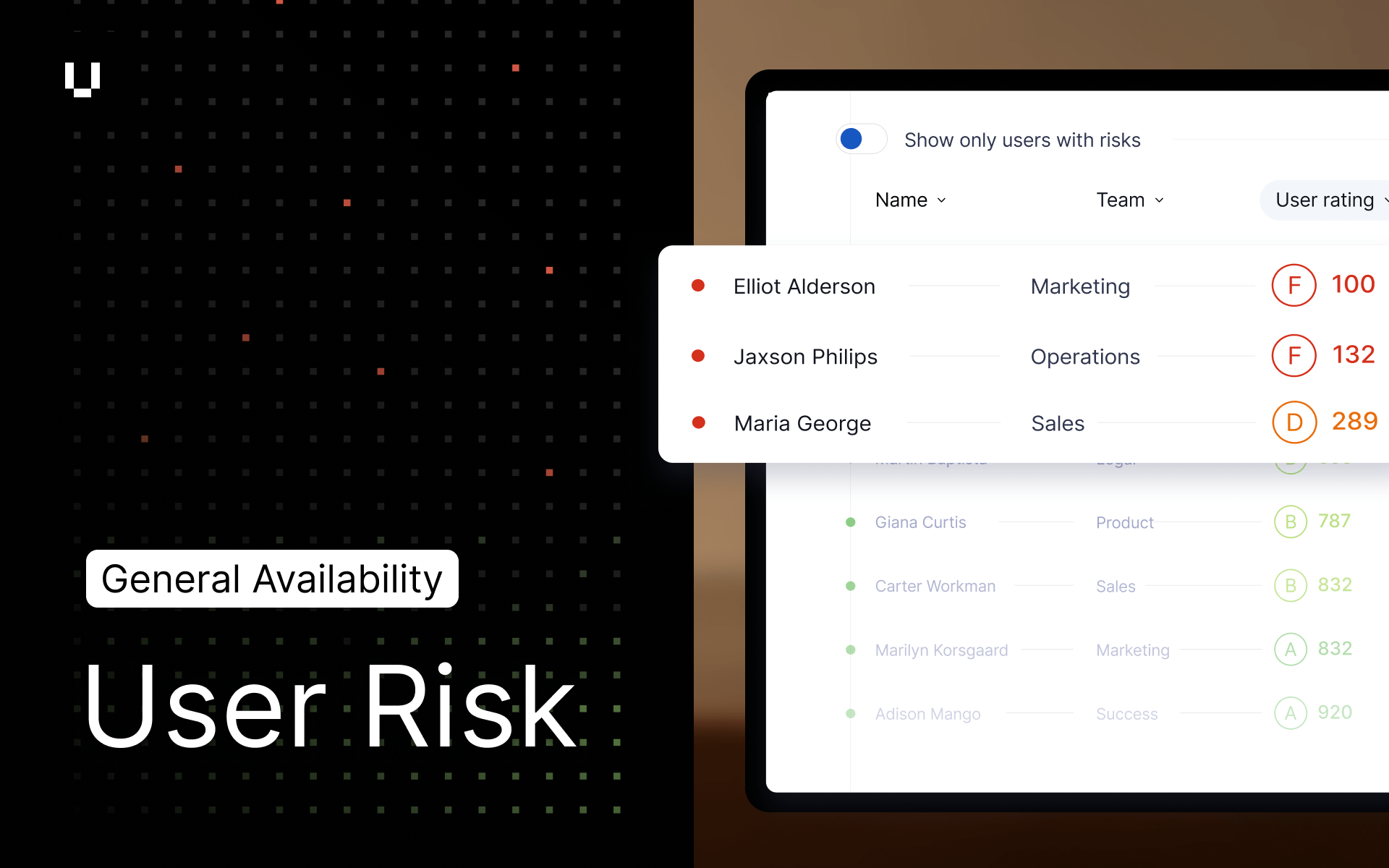
Our biggest release yet! User Risk is now in General Availability
We are thrilled to announce that UpGuard User Risk has moved from Early Access to General Availability (GA). While you already trust UpGuard for "outside-in" security, User Risk completes the picture with an "inside-out" view of your internal workforce.
During User Risk development, we confirmed the challenges many organizations face around Shadow IT:
- Volume: Companies often have more SaaS applications than employees, they just don’t realize it.
- The "Long Tail": 60% of apps are used by just one person, making manual tracking impossible.
- SSO Blind Spots: 50% of app usage happens outside corporate SSO.
User Risk solves this with a complete workflow:
- Unified Visibility: Discover your true SaaS and AI footprint, permissions, and compromised credentials in a single view rather than siloed data.
- Prioritize & Govern: An AI Analyst automatically prioritizes risks to create clear action plans, allowing you to proactively govern policies.
- Change Behavior: Direct your users to use approved applications with real-time "nudges." If a user accesses an unapproved tool, User Risk immediately recommends an approved alternative.
How to Get User Risk: To complete your 360-degree view of risk, contact your Customer Success Manager today.
Introducing new premium Trust Exchange features
We are excited to announce the launch of a new tier of premium features in Trust Exchange, designed to supercharge your sales and security workflows. This includes the ability to import up to 15 security questionnaires per month and automate responses using unlimited AI calls which is crucial for managing a high volume of vendor requests. Trust Exchange customers can ensure brand consistency and document control with Custom Domain Configurations for your Trust Page and PDF Download Watermarking, providing an essential layer of security for sensitive documents.
Explore the new tier and sign up free here.
Ready to upgrade? Contact your Customer Success Manager.
No Customer Success Manager? You could upgrade it yourself in-product.
Get ready to scale your trust operations and look out for our next major update on a new feature, Multi Trust Pages coming in early December!
ISO 27001 and NIST CSF control templates for Security Profile
Assess vendors against international security standards with new control templates for ISO 27001:2022 and NIST CSF 2.0 in the Security Profile. Users can assess vendor adherence, automatically uncover mapped risks, send targeted gap questionnaires and generate comprehensive risk assessment reports aligned to these frameworks. These new templates can be set as the default for a specific vendor tier in settings to ensure consistency. For more information, read our Help Center article.
Social media monitoring added to Threat Monitoring
We’ve launched Social Media Monitoring, expanding Threat Monitoring to include Facebook and Instagram profiles and posts. This release detects key social media threat types, including brand impersonation, phishing and scam content, planned protests or activism, and indicators of violent threats.
Social Media Monitoring is available at no additional cost for all existing Threat Monitoring customers. It forms part of our ongoing commitment to continuously broaden and refine detected threat signals, delivering the broadest possible coverage while reducing noise and false positives through improved AI analysis and source tuning.
Read our CISO's Guide to Defending Against Social Media Impersonation
Other improvements
- Threat Details within Threat Monitoring now includes pagination across “Investigating”, “Remediating”, and “Closed” views, bringing consistency with the “Open” view and making it easier to navigate and review threats at scale.
- When infostealer malware has been detected, the resulting risks now provide clearer triage and remediation details, including redacted email and web-addressed credentials, along with updated guidance on creating a waiver within the platform.
- We have added 26 more detected products including MongoDB, Zabbix, Caddy and many more. These changes help you understand your own attack surface in more depth.
- We’ve added a Foreign Ownership, Control and Influence (FOCI) Internal Vendor Review questionnaire based on Australian Government FOCI Risk Assessment Guidance to the questionnaire library. This internal questionnaire serves as a preliminary assessment to determine if a full FOCI risk assessment is required.
- This release includes several bug fixes.
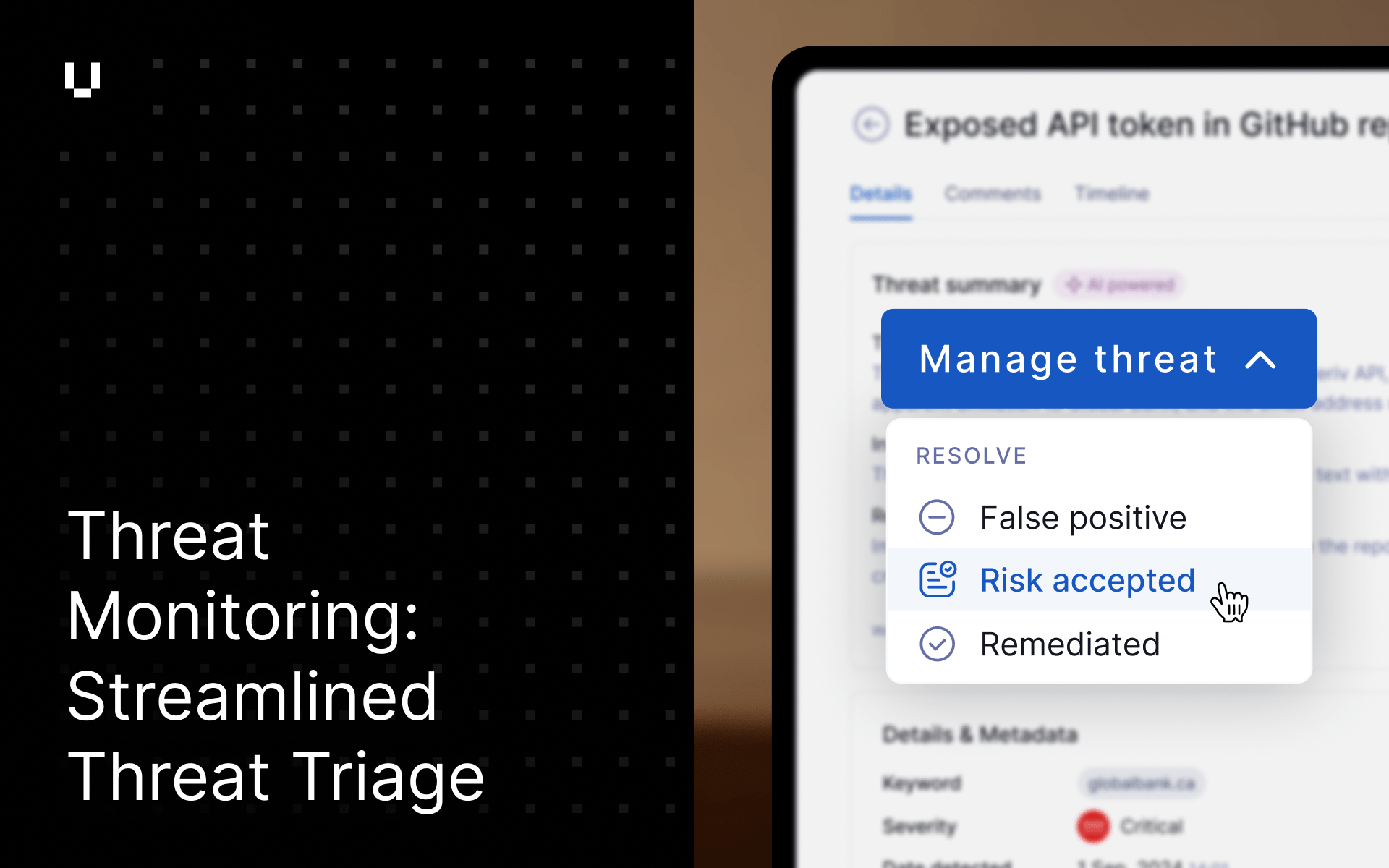
Workflow enhancement – streamlined threat triage
We’ve enhanced the Threat Management workflow to make it simpler, faster, and more precise. The new layout enhances usability while capturing richer context on how analysts classify and resolve threats.
Key improvements include:
- A single “Manage Threat” dropdown now consolidates all key actions for easier access.
- Actions are grouped under two clear sections: “Collaborate” and “Resolve”, aligning with how analysts naturally work through findings.
- The term “Dismiss” has been renamed to “False Positive” to clarify intent and improve tracking of analyst decisions.
- A new “Risk Accepted” action allows users to distinguish between legitimate but accepted risks and false alerts.
- “Close as Remediated” is now “Remediated”, improving consistency across the workflow.
- The ability to page through threats now sits in the top navigation bar, making navigation more intuitive. When a threat is resolved, the system automatically advances to the next open threat.
- The header is now sticky, with a full-width divider for easier readability as you scroll.
- We’ve also relocated comments to their own tab to provide users with more space to review and collaborate on the details.
These changes make the workflow more intuitive to use while ensuring every analyst action contributes to greater fidelity and insight in our threat intelligence feedback loop.
New Risk: Infostealer malware detected for Vendor Risk
A new risk, "Infostealer Malware Detected," will now be raised for tiered vendors when data indicates a potential breach from infostealer malware. This high-severity risk helps identify data leakage threats from your vendors. To help users proactively address these items before they impact scores these new risks will initially be flagged as "provisional" until January 2026.
Expanded vendor security document coverage
Our monthly import of public vendor security documents has expanded coverage to include 298 new documents, enhancing the data available in Vendor Security Profiles.
Trial Breach Risk to automate your Security posture in Trust Exchange
Users can now trial Breach Risk in order to enable continuous monitoring for their Trust Exchange security profile, enabling users to improve their security profile and posture with automated score improvements. Breach Risk can then be purchased after the 14 day trial period.
Other improvements
- To better classify upcoming risks, the "Brand Reputation" risk category has been renamed to "Operational Risk".
- To localise Trust Page settings, the Custom Domain configuration has been moved from General Settings (cogwheel) to "Trust Page -> Settings and More".
- This release includes a number of bug fixes.
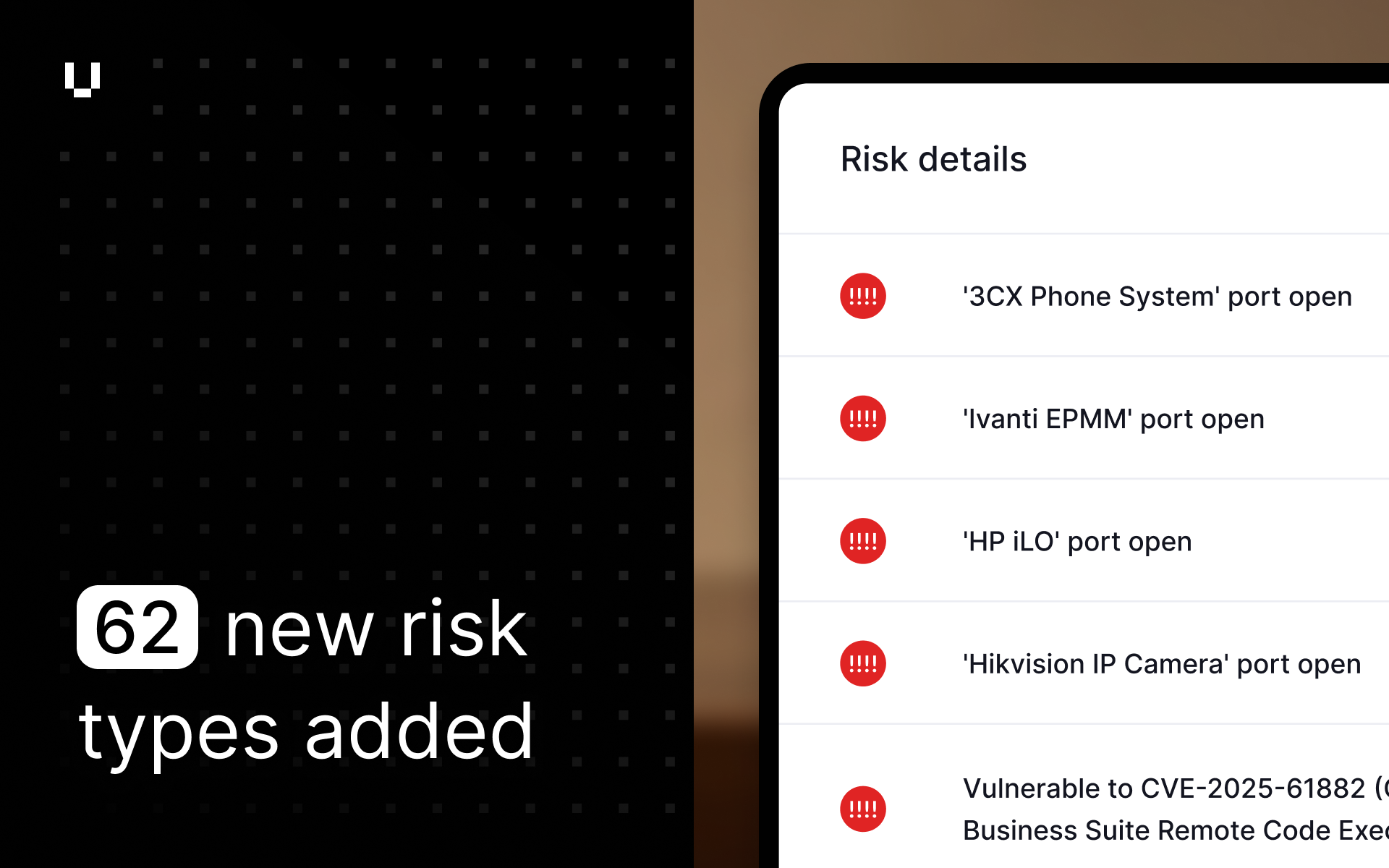
Expanded risk detection with new risk types
We have expanded our risk detection capabilities to include 62 new risk types, providing a more comprehensive assessment of external attack surfaces for you and your vendors. Our scanning engine now identifies a wide range of new services, which we've grouped into the following categories to help prioritize remediation efforts:
- Remote Access & Management: We now detect critical interfaces for routers, VPNs, servers (HP iLO), and container platforms (Portainer). If exposed, these services provide a direct path for attackers into your network or vendors’, bypassing other security controls.
- Databases & Data Stores: Our scans now identify exposed instances of ClickHouse, InfluxDB, and Firebird RDBMS, among others. Unsecured databases are a primary target for data theft and ransomware attacks.
- Exposed IoT & Media Devices: We've expanded our detection to include a growing blind spot for security teams: exposed IP cameras, network video recorders, and smart home/office systems. These devices are often initial access vectors for breaches if not properly segmented and secured.
- DevOps & Cloud-Native Tools: We can now identify misconfigured Kubernetes, Grafana, and Apache Airflow instances. When exposed, these tools can leak sensitive credentials, monitoring data, and even provide control over critical infrastructure.
- Legacy & Insecure Protocols: Our scanning now flags outdated and unencrypted services, such as Rlogin, Remsh, and TFTP. These protocols are easy targets for attackers to intercept credentials and sensitive information.
To help users proactively address these items before they impact scores, for the first 4 weeks, these new risks will be flagged as "provisional." Users will be able to view them in their accounts, but they will not impact security scores during this period. This 4-week grace period is designed to provide teams with a clear window to review, prioritize, and remediate the newly identified risks. In the week of November 19th, they will become active and will be factored into scores like all other security risks.
Other improvements
- Trust Exchange users can share their security rating instantly using an embedded badge. This badge links directly to their Trust Page, giving customers easy, immediate access to security and compliance information.
- Our risk detection capabilities have been expanded to include CVE-2025-61882, a critical (CVSS 9.8) vulnerability in specific versions of Oracle E-Business Suite, recently added to the CISA Known Exploited Vulnerabilities (KEV) catalog.
- We have added a new risk for insecure HTTPS-to-HTTP redirects to help users more accurately identify websites that downgrade secure connections, potentially exposing data to interception or tampering during transmission.
- We have updated the questionnaire builder to allow 'File Upload' questions to be set as mandatory, helping ensure that vendors provide required documentation before they can submit a questionnaire.
- This release includes a number of bug fixes.
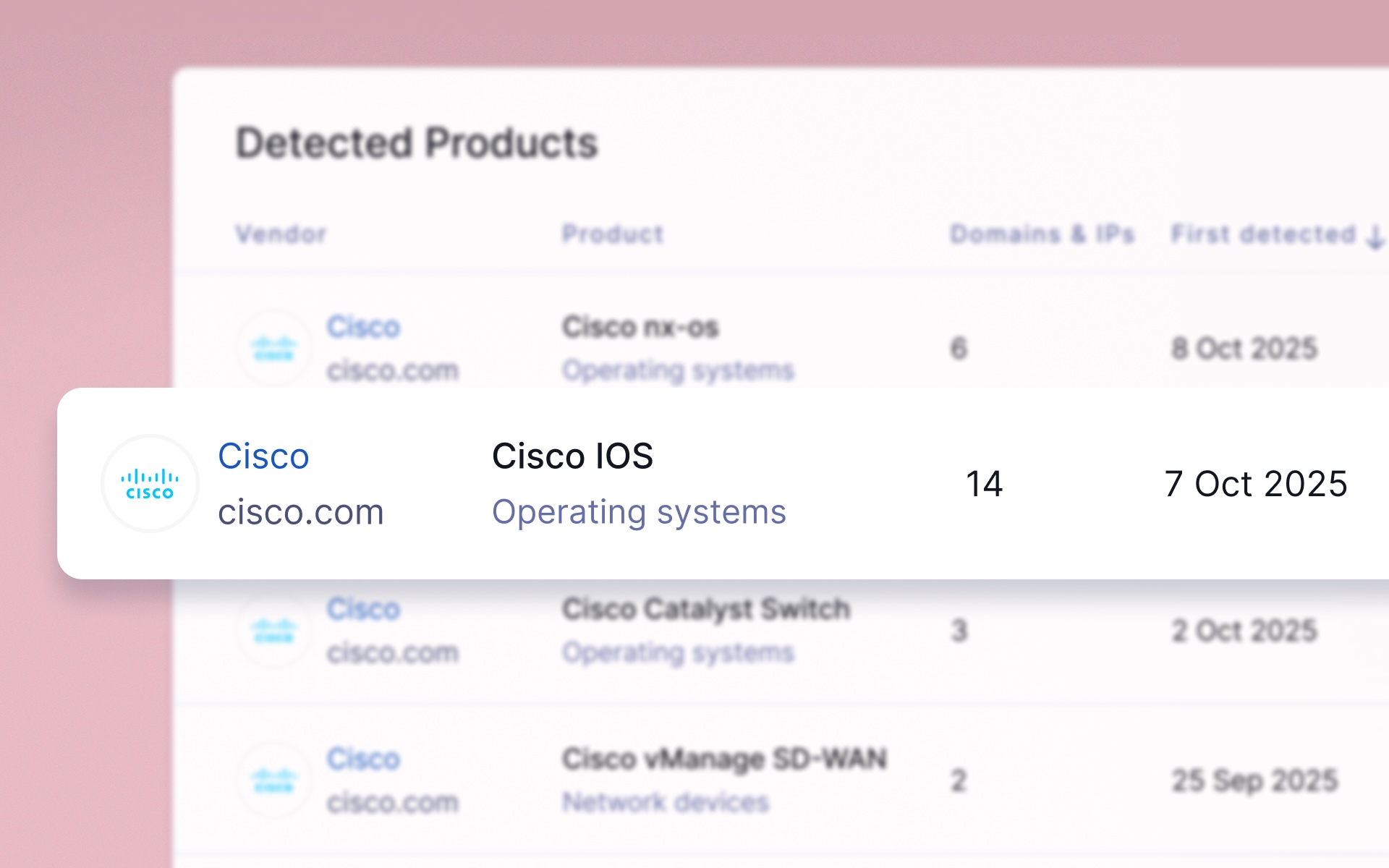
New detections for Cisco products
Our scanners can now detect specific Cisco products, including IOS, NX-OS, SD-WAN vManage, and CatOS. This allows for the automatic identification of newly exploited vulnerabilities associated with these systems, enhancing your ability to proactively manage your attack surface.
HTML table support in risk assessment report templates
We've added support for tables using HTML (including inline styles) in risk assessments and risk assessment templates. Users can create tables like a risk matrix with their own styling including colored cells and custom table spacing.
TISAX badge now available for Trust Pages
Users can now add a TISAX (Trusted Information Security Assessment Exchange) badge to their Trust Page. With support for all three assessment levels (AL1, AL2 and AL3), organizations with unique information security challenges such as automotive, aerospace, energy and rail can more easily demonstrate their compliance.
Read more about TISAX here
Other improvements
- This release includes a number of bug fixes.
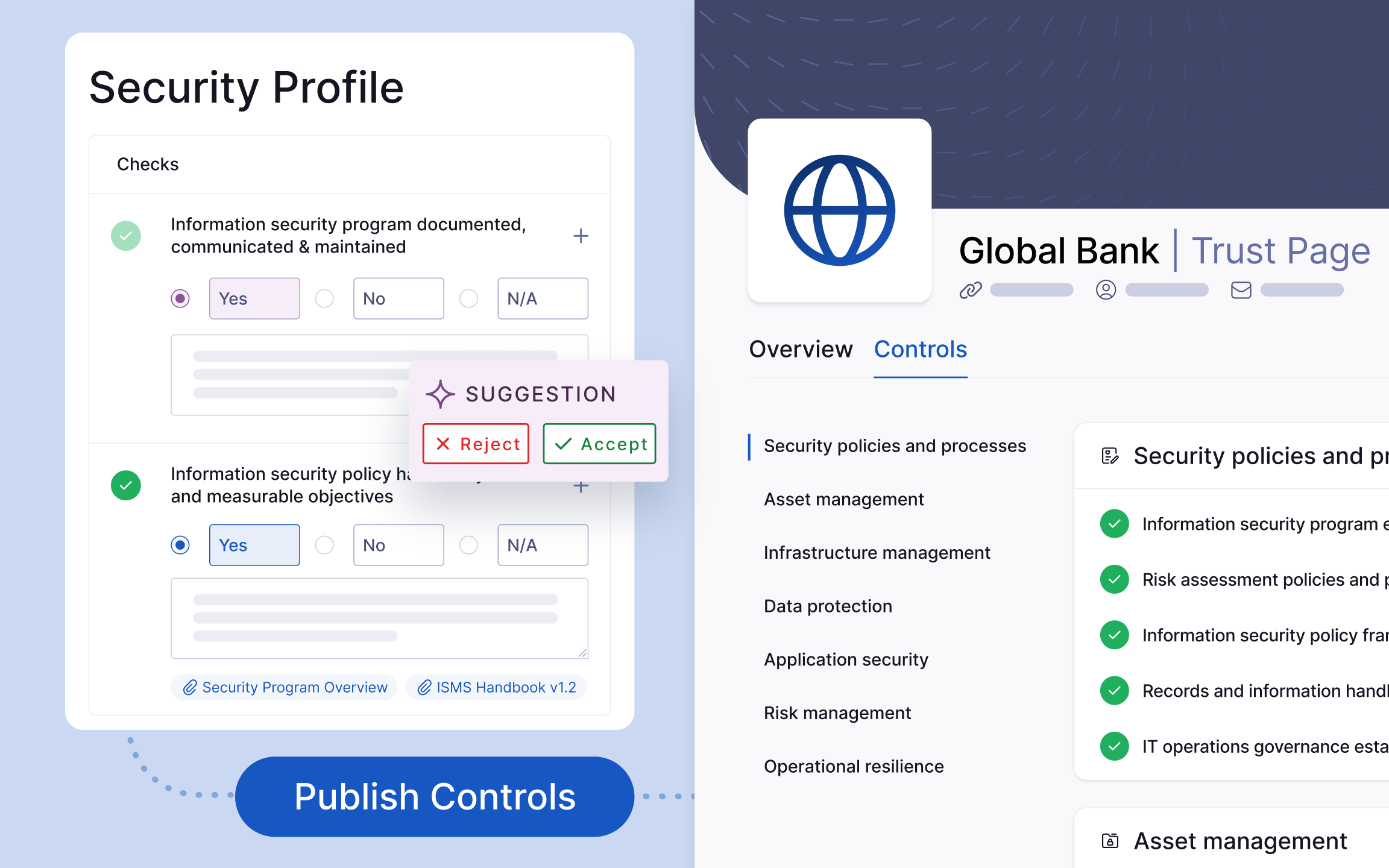
Assess your posture with your own Security Profile, then publish it to your Trust Page
We’re making it easier than ever to communicate your security posture and commitment to transparency with Trust Exchange.
You can now perform a self assessment in the Security Profile, using our AI analyst to scan your security documents and questionnaires and populate suggestions for our library of 500+ checks in minutes (the same as assessed in UpGuard’s Vendor Risk product). You can review the suggested responses and approve, reject or add manual answers.
Then, choose which passed checks you’d like to publish onto your Trust Page, where they’re presented in a searchable public format. You can also optionally include linked evidence, subject to the existing access and NDA settings you have in place.
Our FAQ-style list of controls enables you to transparently and proactively communicate your security posture to customers and partners, cutting down on the back and forth hassle of outdated security assessment processes.
This feature is now available to all Trust Exchange accounts. For more information visit our help guide.
New threat detection for vibe coding tools
We’ve expanded Threat Monitoring with a new collector that captures signals from emerging “vibe coding” platforms, including v0.dev, lovable.dev, and Replit. This helps identify threats such as phishing sites created by attackers, as well as accidental leaks of IP, PII, or credentials by internal users. By monitoring these rapidly growing tools, we’re strengthening coverage of both external and insider risks associated with your Transforms.
Risk details API: Port information now available
The Risk API endpoints can now return port numbers for affected assets, giving you more detailed context for each security risk. To enable this, add the optional parameter include_sources=True to your API call on the /risks and /risksdiff endpoints. This will add a new sources field in the JSON response containing both the hostname and port.
Other improvements
- You can now export the Trust Page access log as an Excel file.
- This release includes a number of bug fixes.

Sign up for our newsletter
Free instant security score
How secure is your organization?

