A Policy Can’t Stop a Paste: Enforcing AI Rules in the Browser


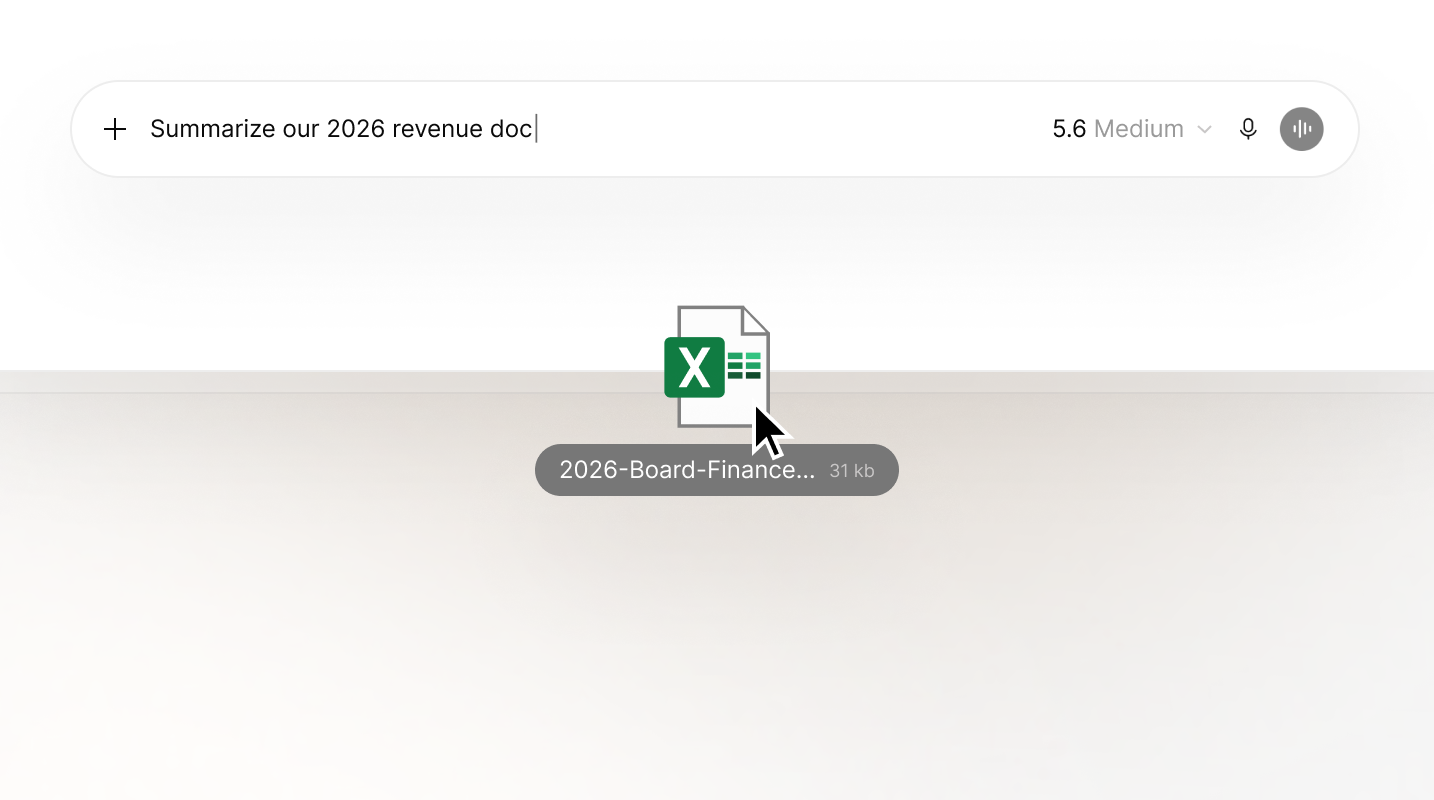
Priya’s renewal call starts at 5:00 PM. She has five minutes and a 30-page client contract she hasn’t read. Copilot is open in one tab, but ChatGPT, the tool she knows, is already signed in with her personal account. Convenience wins.
She pastes the whole contract and asks for the three clauses that matter. At 5:01 PM, she joins the call sounding prepared, and it goes well. She’s also put a client’s confidential terms into an unapproved tool, on an account you can’t offboard.
This is shadow AI in its most common form: a pressing deadline with the nearest tool (often one that's unnaproved) being used in a crunch. A policy on paper can’t stop a browser action, and addressing that limitation requires controls that act where the paste or upload happens: in the browser.
That's what User Risk does.
Why your AI policy stops at the browser
In UpGuard’s State of Shadow AI research, 81% of employees said they use unapproved AI tools, and 70% knew of sensitive data going into AI tools at work. Priya isn’t an outlier.
Most teams have done the right things: written the policy, gotten sign-off, run the training, and collected the signatures. But a policy, even one backed by network blocking, breaks down in three places:
It can’t act in the moment. Training happens once a year. The paste happens on a random day at 4:55 PM, and nothing steps in between.
Control is either block or allow; no middle ground. Network blocks or filters dictate whether a site loads entirely, and usually for everyone.
Blocking a category entirely means you might break tools people rely on for day-to-day tasks. The alternative is leaving it open, which means you’re trusting a PDF to stop a paste. Blocking harder backfires too: 45% of workers say they find ways around blocked apps.
The list is never finished. Ban ChatGPT, and you’ve closed one door. In UpGuard’s Shadow Supply Chain research, a “No ChatGPT” rule would have left 62 other AI apps running unchecked across the 20 organizations we surveyed.
Note: A policy can’t be your only control, but it still matters. It’s the rulebook User Risk enforces, app by app and team by team.
If yours needs a refresh or is still a draft, UpGuard’s free AI Policy Generator turns eight questions about your organization into a tailored starting policy, plus an implementation checklist and a workforce adoption guide.
In Priya's scenario, those gaps leave a client contract sitting in a personal AI account, outside any agreement you have with the AI vendor. When she leaves, you can’t get it back. And when a client’s security questionnaire asks how you enforce your AI policy, a signed PDF won’t answer it.
How User Risk enforces your policy in the browser
User Risk runs through the same lightweight browser extension that discovers which SaaS and AI apps your employees use.
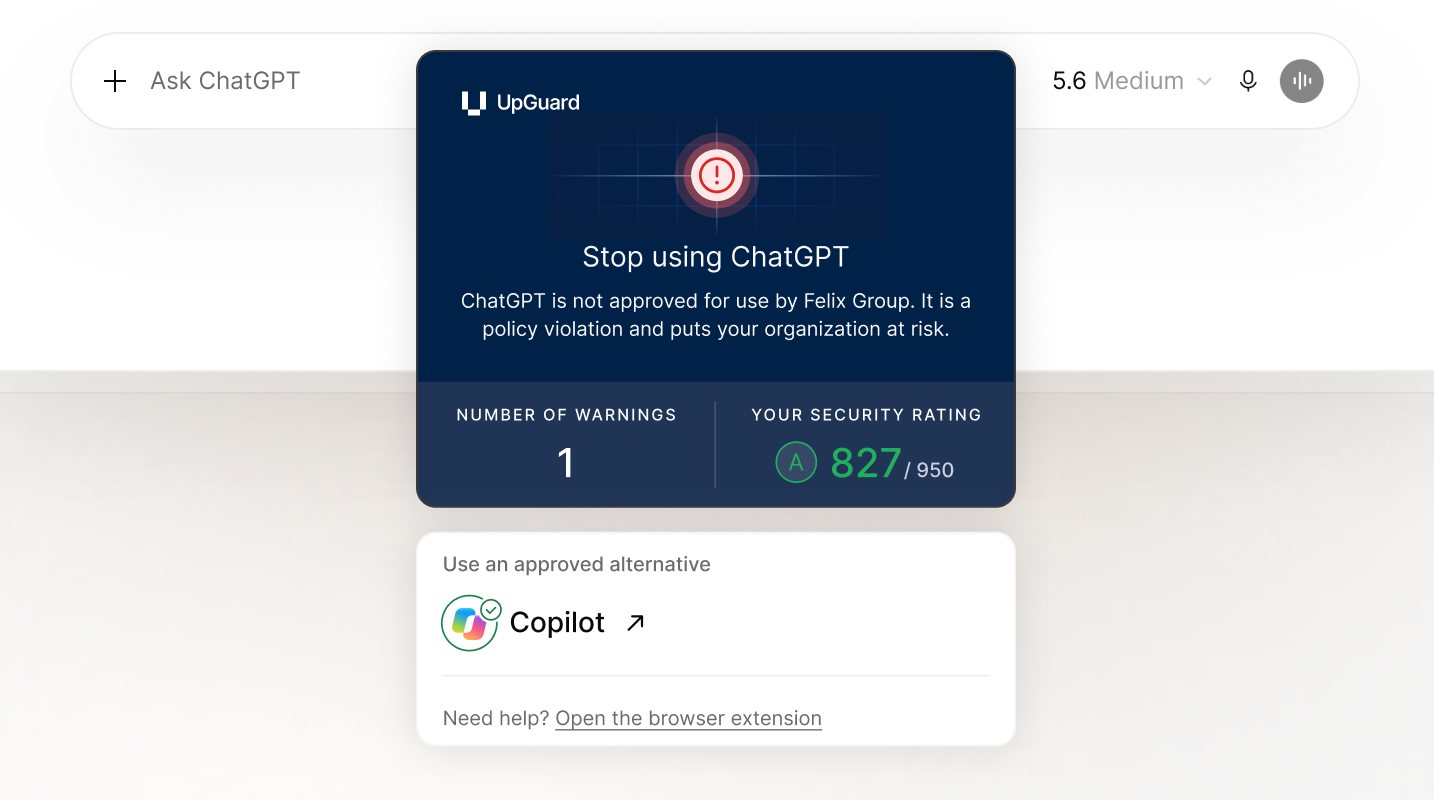
Here’s how it works:
- Application Usage Policy gives each app in your environemtn one of four states: Approved, Blocked, Nudged, or Tolerated. You can then layer team role rules on top, allowing you to approve a tool for the engineering department, while blocking it for finance.
- Safer Web Experience controls act inside the tab, under each app’s policy. They stop pastes and file uploads into AI tools you haven’t approved, and block personal-account sign-ins on managed browsers.
- App Category Usage Policy sets one rule for a whole category, such as AI chatbots or notetakers, so it covers apps nobody has used yet.
See how Policy and Governance works, or take the product tour.
The same deadline, with and without User Risk
Rerun Priya’s afternoon with the same contract and the same deadline. Only one thing changes: whether User Risk is in the browser.
Before User Risk
4:55 PM. Priya pastes the contract into her personal ChatGPT account. To her and anyone not in security, she’s being efficient.
4:56 PM. The summary comes back. The client’s terms now sit in an account you can’t see.
5:01 PM. The call goes well.
Next morning. Someone in marketing signs up for an AI notetaker that launched last week. It isn’t on any blocklist, because nobody knew it existed.
Two weeks later. A client’s security questionnaire asks how you stop staff from pasting client data into AI tools. You point to the policy and hope they don’t ask for evidence.
Nobody went looking for a loophole. Priya used the tool she knew, and marketing found one that worked. The policy was right. It just wasn’t in the tab when it mattered.
After User Risk
Last month. With your AI inventory in hand, you set Copilot to Approved for everyone and ChatGPT to Nudged, with paste and file upload blocking switched on. An App Category Usage Policy blocks every AI notetaker except the one you’ve approved.
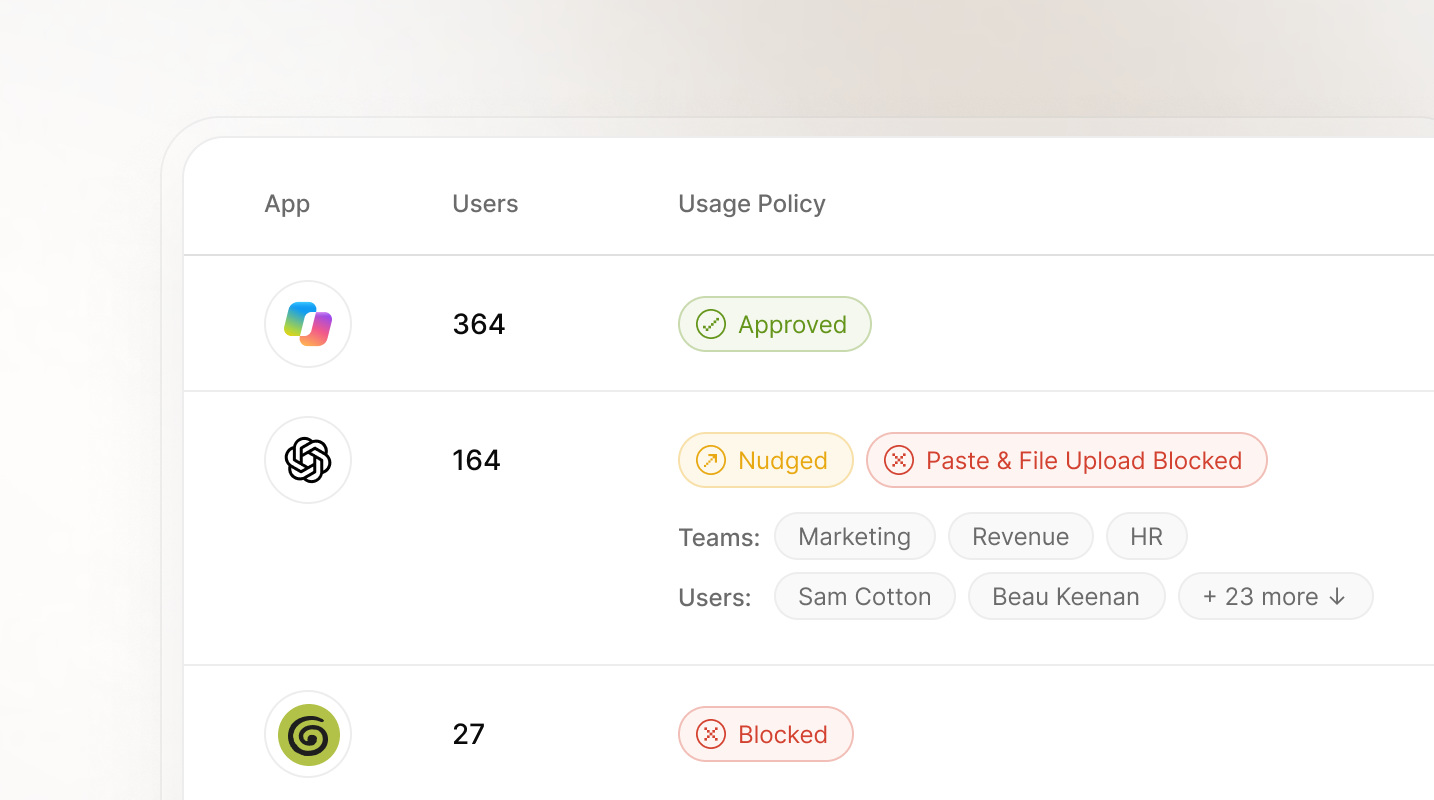
4:55 PM. Priya opens ChatGPT and pastes the contract. Paste Blocking on Risky Sites stops it from landing, and a nudge points her to Copilot. The client’s terms stay out of the consumer tool.
4:57 PM. She pastes the contract into Copilot and gets her three clauses.
5:01 PM. The call goes well—same outcome, no exposure.
Next morning. Marketing tries the new notetaker. The category rule already covers it, so User Risk blocks it before anyone has to add it to a list.
Two weeks later. The same questionnaire arrives. You answer with the policy and the record of blocked attempts behind it.
Priya still made her call, and marketing still has a note-taker: the approved one. And you have proof the policy works, not just signatures saying people read it.
How Felix Group Holdings swapped blanket blocks for precise ones
Felix initially blocked AI across their organization with network-level filters, but as we noted earlier, this came with a trade-off. When Monday.com added AI features, the overnight category update blocked the entire platform company wide, and cost them half a day of productivity.
With User Risk, Felix now sets policy by job title and individual user. On day one of enforcement, User Risk flagged two Customer Success employees trying to sign in to consumer ChatGPT and Gemini accounts.
“Previously we had no granularity, but now we can pinpoint to a specific person.”
— Tony Chan, Chief Information Officer, Felix Group Holdings
Read the Felix story
A policy that shows up at 4:55 PM
Priya made her five o’clock call. This time, so did your policy.
When a deadline hits, people reach for the fastest tool, and most of the time that instinct serves the business. User Risk works in the browser, where that instinct plays out, and makes sure the fast option is also the safe one.
That’s how you govern AI without banning it outright or relying solely on policy.
Want to see how your own policy would hold up? Get a demo.
Next in this series: what to do when people don’t know which tool is approved.