PHP2Shell Is a Vendor Problem Too: How to Find and Close Third-Party Exposure


PHP2Shell affects every PHP version back to 5.4, released in 2012. That range covers 14 years of releases, and some of them are still running on vendor servers you don’t control and can’t patch.
If you need background on the vulnerabilities themselves, start with our PHP2Shell explainer and response framework. This guide walks through four steps, from finding exposed vendors to closing out your response.
Why PHP2Shell is a third-party risk problem
Patching your own servers is the part of PHP2Shell you control. The rest sits with your vendors, on servers you can’t scan from the inside and on patch schedules you don’t set. Some of them haven’t touched their PHP version in years.
So when leadership asks whether any of your vendors are exposed, your own patch records can’t answer the question. That gap is what turns a PHP vulnerability into third-party risk.
Here’s where vulnerable PHP may be hiding in your vendor portfolio:
- Managed WordPress and other content management system (CMS) hosting, where the host picks the PHP version, and your vendor may never see it.
- Marketing and web agencies running campaign sites and landing pages under your brand.
- SaaS products with PHP behind the login screen.
- Appliances and licensed software with PHP built in, which stay vulnerable until the manufacturer ships an update.
Then there’s the layer you can’t see at all: many vendors don’t run their own web servers. A hosting company or CMS provider runs PHP for them, which makes that provider a fourth party. Ask your vendor whether they’ve patched, and the honest answer may be “we’ll have to check with our host.”
Some vendors can’t patch quickly even when they want to. PHP 8.1 and older are end-of-life, so there’s no official release to install. For a vendor on one of those versions, the lasting fix is a migration project, and their timeline becomes your exposure window.
How to find exposed vendors and confirm they’ve patched
If you’re triaging PHP2Shell vendor risk right now, you need two answers quickly: which vendors are exposed, and which of those matter most. Four steps get you both and leave a record you can defend later:
Step 1: Find which vendors are exposed
You don’t have to check vendors one at a time. UpGuard Vendor Risk scans more than 15 million organizations daily across over 400 risk signals and treats CVE-2026-109618 and CVE-2026-109619 as verified vulnerabilities. It flags any vendor domain or IP address running an affected PHP version.
Both findings show up in one view across your monitored vendors, with a count of how many vendors carry each one. So when someone asks “How many of our vendors are affected?” you’ve got the number in front of you.
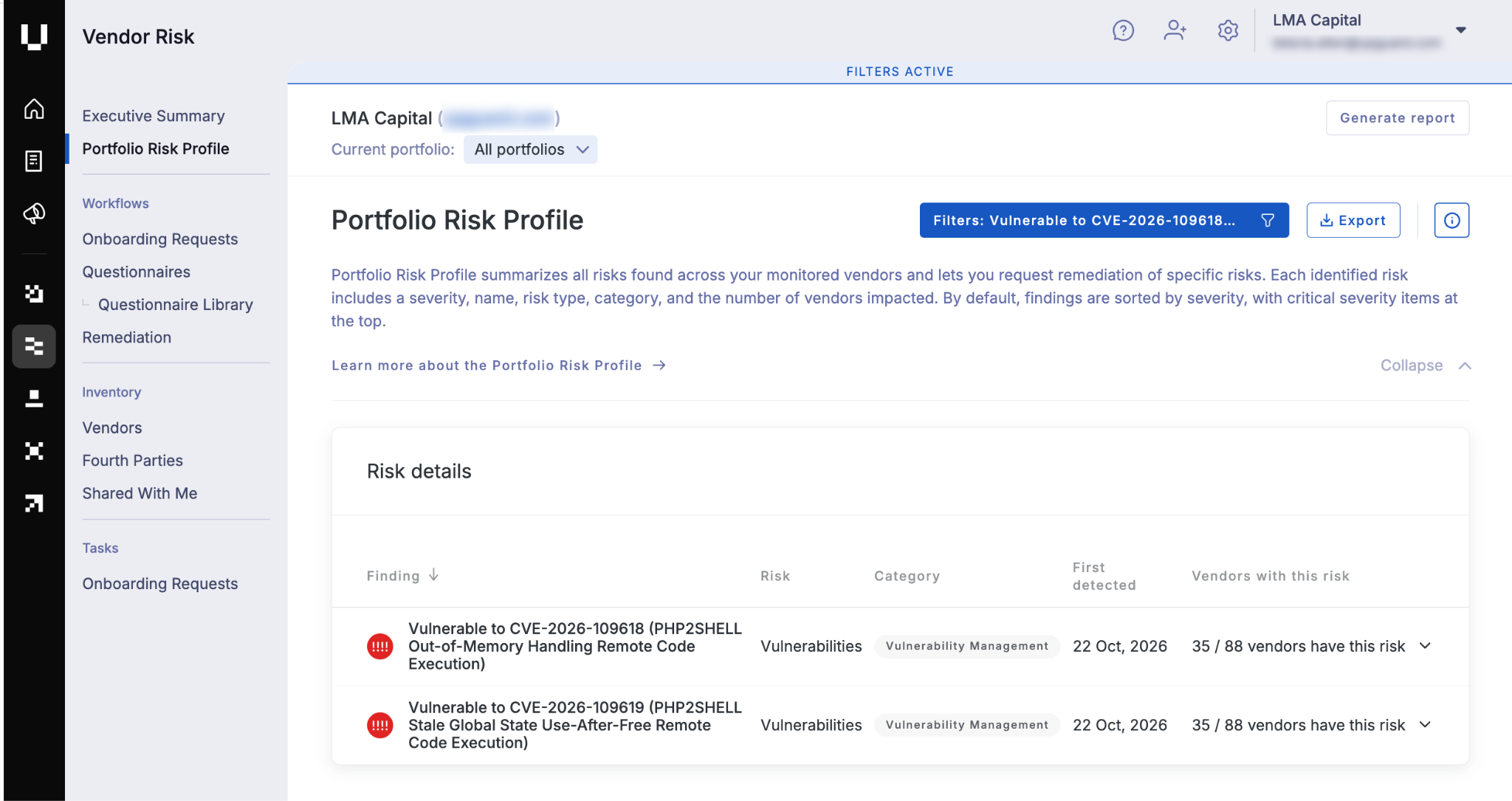
From there, select either finding to see which vendors make up that count, then drill into each one to pull the specific domains and IPs running a vulnerable PHP version. That’s the list you’ll send each vendor, so nobody has to guess which assets need fixing.
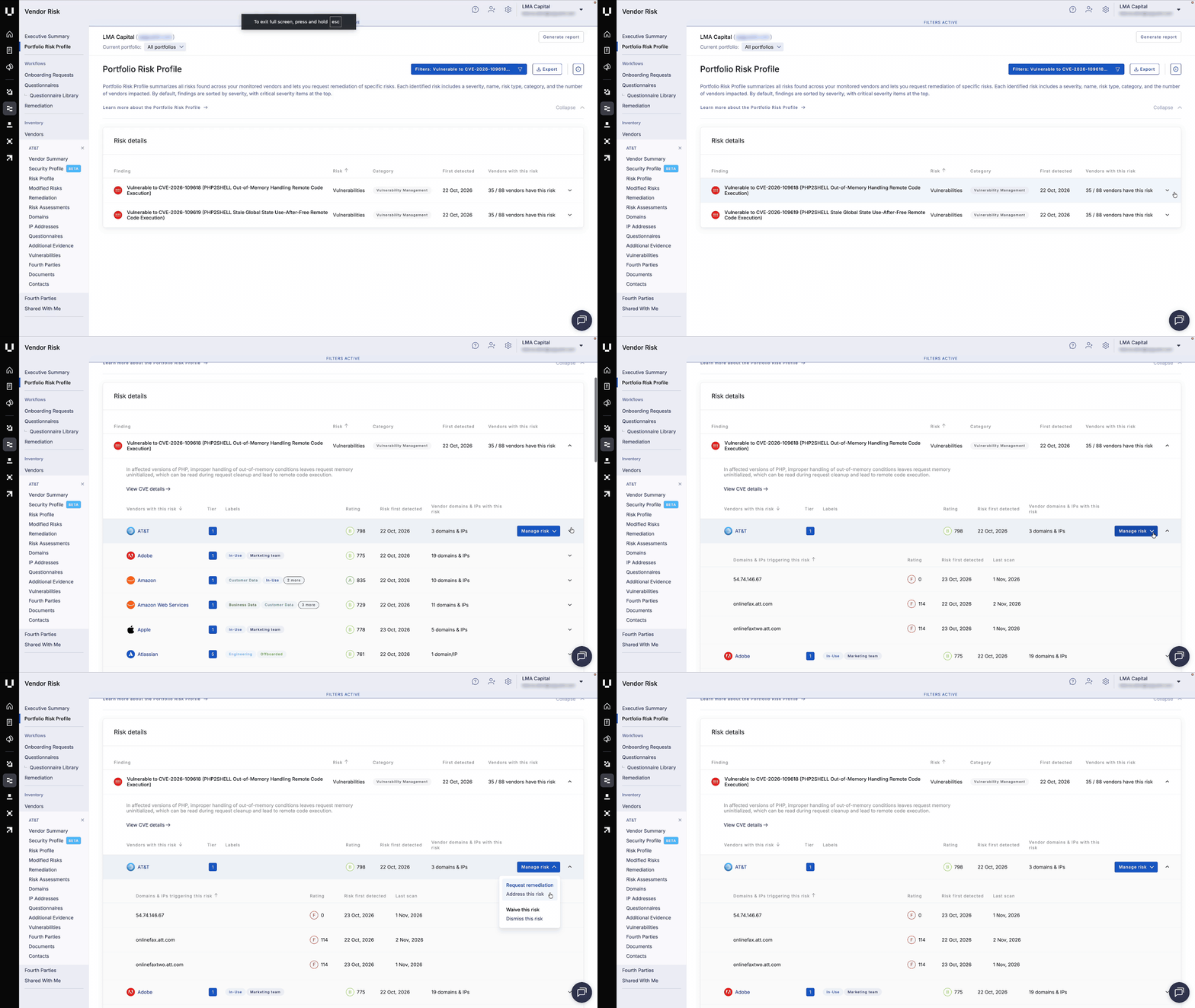
Only need to check one vendor? Run their domain through our free PHP2Shell Check. It looks at one domain at a time, and you don’t need to log in to anything. You’ll also get a response pack with a vendor evidence questionnaire and a remediation guide.
Step 2: Prioritize by what the vendor touches
A vendor hosting a campaign microsite and one processing your customer data can carry the same finding, but they don’t deserve the same urgency. Start with vendors that hold your data or credentials, or the vendors your organization most depends on, then work through your top tiers.
Vendor Risk already knows each vendor’s tier and labels, so it shows them right alongside the finding. Add the count of each vendor’s affected domains and IPs, and your priority list is ready.
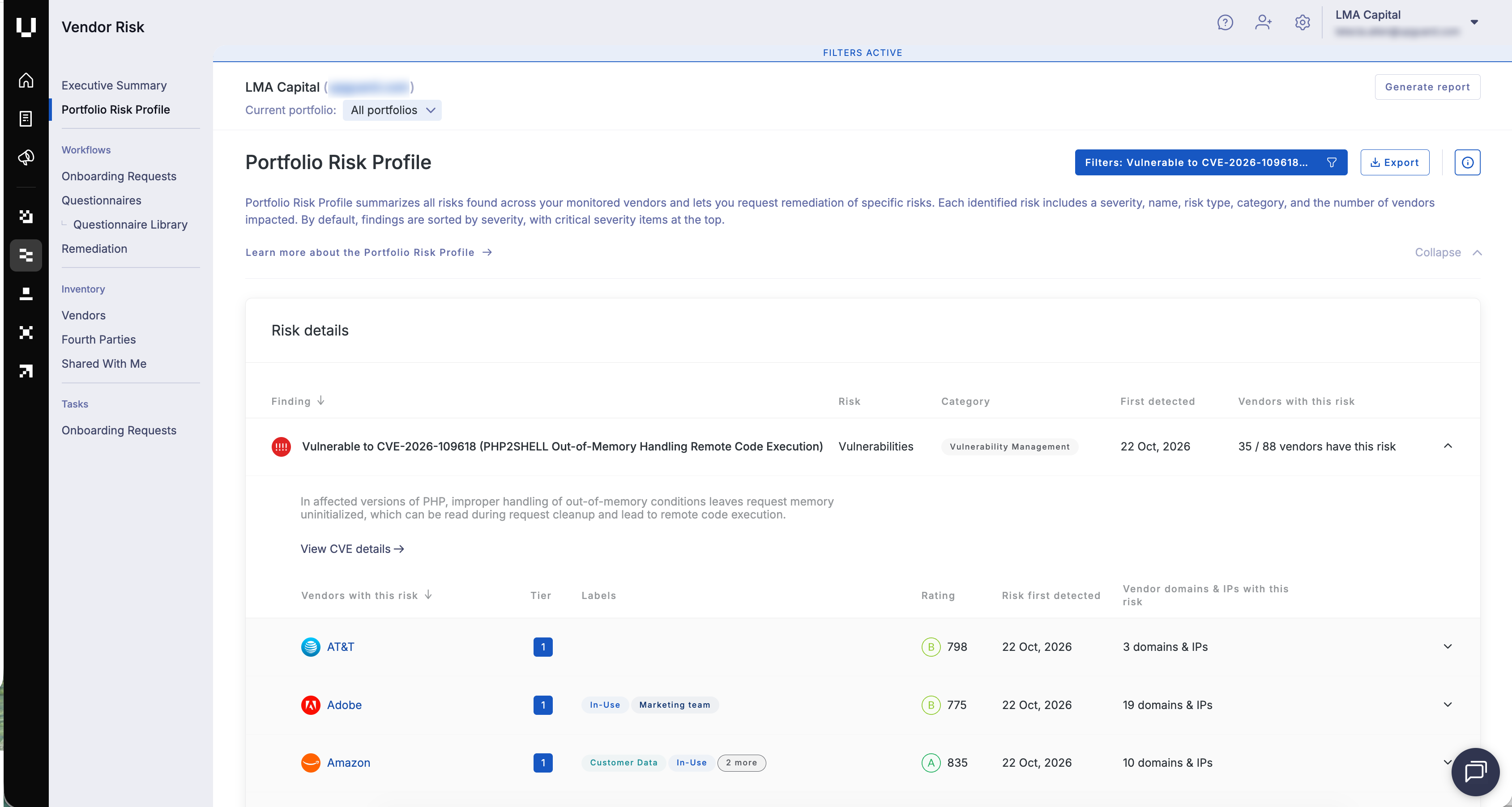
Next, you can send a remediation request straight from the finding. The vendor sees the risk details in their own portal, so you don’t have to rebuild the context in an email thread.
Daily scanning picks up the vendor’s fix once it goes live, and you can run an on-demand rescan if you need confirmation sooner without waiting on the vendor.
Step 3: Ask vendors what only they can tell you
To go with our scanning, we’ve built the PHP2Shell Incident Response Questionnaire, now in the Vendor Risk Questionnaire Library. Send it to affected vendors to find out what only they can tell you, such as whether they’ve patched and whether your data was affected. The scan tells you who’s exposed; the questionnaire tells you how much it matters.
The questionnaire is short. The first part asks about PHP exposure, including any PHP that hosting or CMS providers run for your vendor, and whether those systems hold your data or credentials. The second part covers remediation, including how long the vendor’s systems sat exposed before they patched. The last part gets to exploitation and impact. Did the vendor review its logs and rotate credentials? And the one you care about most: was your data affected?
As the questionnaire sits in the same platform as your PHP2Shell findings, the vendors you prioritized in Step 2 can have it the same day. It’s just as useful for critical vendors whose scans come back clean. For top-tier vendors and anyone holding your data or credentials, a clean scan is a good start, but a completed questionnaire puts their confirmation in writing.
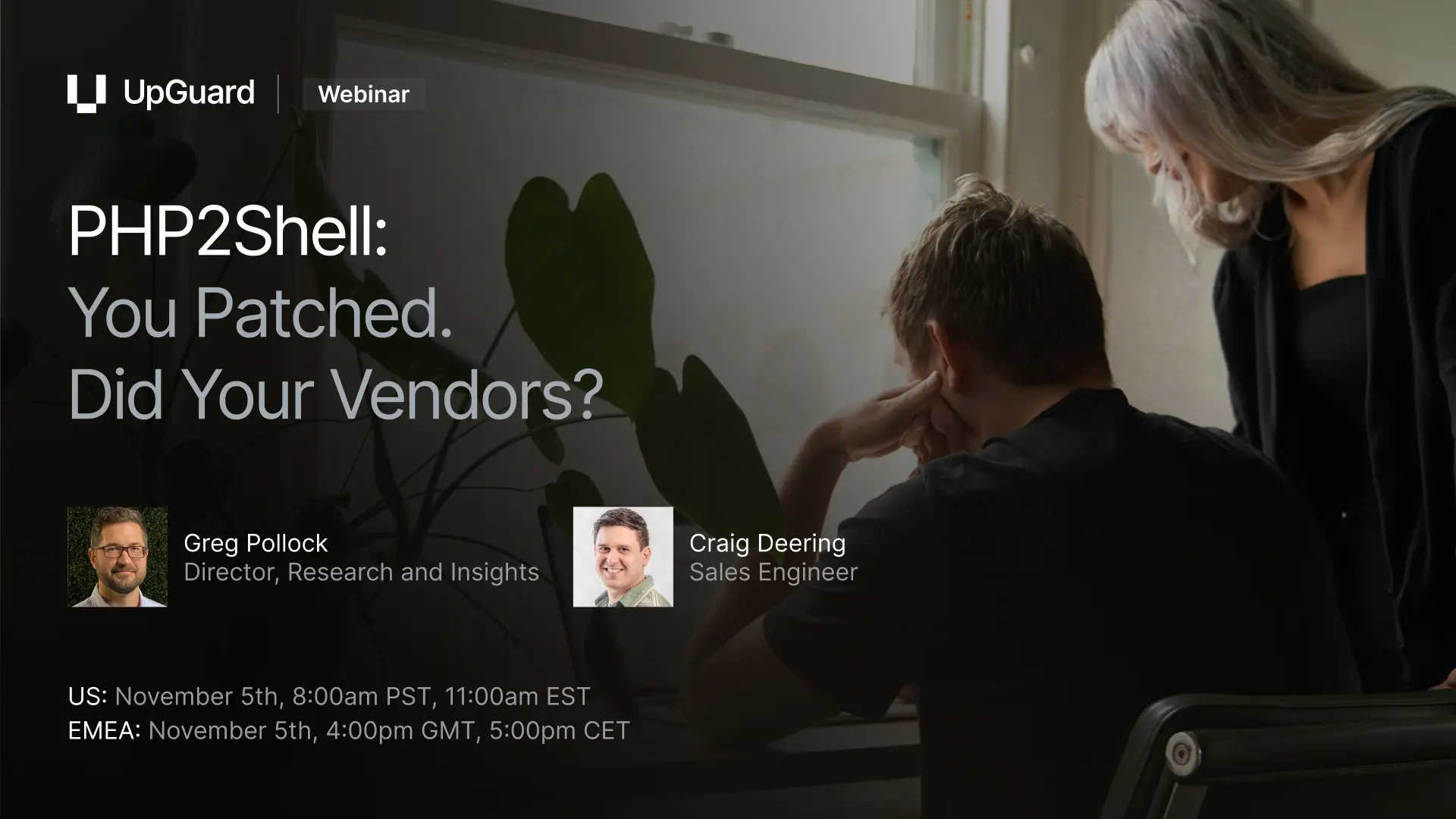
To see vendor close-out live, register for our PHP2Shell webinar. We’ll share what our scanning data shows, then walk through finding and closing out PHP2Shell across your vendors. Everyone who registers gets a vendor questionnaire template to send the same day. Can’t attend live? Register anyway, and we’ll send you the recording.
Step 4: Show the response is closed
Leadership and auditors will eventually ask the same question: were we exposed through a vendor, and what did we do about it?
Vendor Risk has that answer ready, because it keeps a record of what you asked for, what each vendor told you, what they fixed, and what you accepted as an exception.
And exceptions will come up. When a vendor shows you a backported fix but their version string still reads as vulnerable, you can log an approved risk waiver with their evidence attached and an expiry date for review. The decision stays tied to the original finding, so nobody has to piece it together from scattered spreadsheets later.
When the board wants a summary, our library of over 14 built-in reports draws on the same record. You can show which vendors were affected and where remediation stands without manually stitching together slide decks.
Close the PHP2Shell gap in your vendor portfolio
Patching your own PHP was the first job. The rest of the work sits with your vendors and the providers they rely on, and it’s done when you can show which vendors were at risk and what they did about it.
UpGuard Vendor Risk brings scanning, questionnaires, remediation tracking, and reporting into one place, so you can get there without juggling spreadsheets and email threads. Start a free trial to find out which of your vendors are running vulnerable PHP.
Frequently asked questions
What is PHP2Shell?
PHP2Shell is the name of two critical vulnerabilities, tracked as CVE-2026-109618 and CVE-2026-109619, both rated 9.2 on the Common Vulnerability Scoring System v4.0. They allow an unauthenticated attacker to run code on a vulnerable PHP server. The PHP project released fixes on October 21, 2026.
Which PHP versions are affected by PHP2Shell?
PHP2Shell affects every PHP version from 5.4 up to the fixed releases, including end-of-life branches. The fixed versions are 8.2.35, 8.3.36, 8.4.27, and 8.5.12. Servers running Apache with mod_php face the highest risk because the exploit runs before any application code.
Is there a fix for end-of-life PHP versions?
Partly. There’s no new official release for end-of-life PHP versions. The PHP security team has published minimal source patches for 7.4 through 8.1, and some Linux distributions have backported fixes. Nothing older than 7.4 has a fix from the PHP project, so the lasting fix is an upgrade to a supported version.
How do I check whether my vendors are affected by PHP2Shell?
Use external scanning that flags vendor domains and IPs running an affected PHP version. UpGuard Vendor Risk does this across your monitored vendors, and the PHP2Shell Check tests a single domain.
What should I ask vendors about PHP2Shell?
Ask whether they run PHP, including on systems a hosting or CMS provider manages for them, and which versions. Then ask when they patched, how long they were exposed, whether they checked logs and rotated credentials, and whether your data was affected.
Related posts
The Evidence Is In: UpGuard Named a Leader in the IDC MarketScape for Worldwide Third-Party Risk Management
