Govern Shadow AI With User Risk, Without Adding Headcount


Your job title says ‘IT’. Somewhere along the way, it picked up ‘security’, then ‘vendor management’, and this year, ‘AI governance’.
This quarter, there's a new risk report slide requested, “AI usage and controls,” and it’s yours to fill. On the surface, it seems simple, but behind it is a list of AI tools that grows every week, and each one needs a decision: approve it, block it, or leave it be. Each violation is a ticket.
But the board doesn’t want a list. It wants to know whether things are getting better. With one person watching it all, and AI arriving as new tools and as new features inside apps you already use, shadow AI wins on volume.
Governance at that scale doesn’t need to mean inflating your headcount, a methodology we champion at UpGuard. It requires rules you set once, self-ranking lists, and numbers that show trends, allowing you to do more with a leaner team. User Risk gives you all three.
Why shadow AI outgrows a one-person program
For our regular UpGuard readers, you’ll know the gap between the usage you track and what's in use is wider than expected. In our Shadow Supply Chain research, official vendor lists average 22.5 vendors per organization. Employees use 133.2. One User Risk customer expected 20 approved apps, but found more than 80 running underneath.
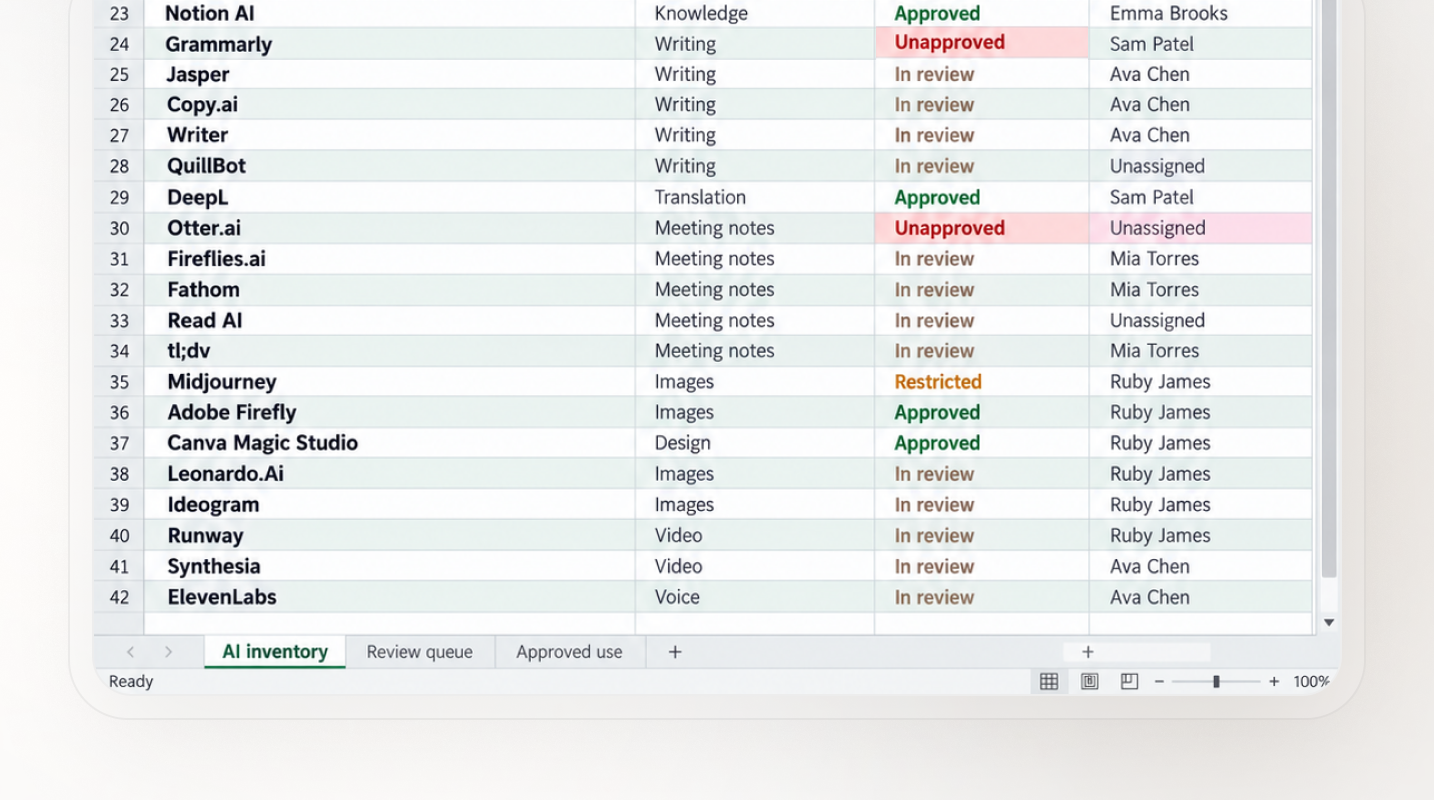
When employees use nearly six times the vendors on the official list, a one-person program is susceptible to breaking down in three places:
Every new tool joins a queue. Discovery is the first step, but it's only as useful as the decisions you can make after discovery. Without defaults, each new app waits for a manual review, and the queue grows faster than you can clear it.
Every alert looks the same. A risky file-sharing connection in finance sits in the same pile as a free grammar extension in marketing. Without a ranking, you work top to bottom, not riskiest first.
Nothing shows the trend. A list of spreadsheets and tickets can show how busy you were. What matters to the board, however, is whether the company is operating more safely this quarter than last.
Shadow AI scales by the week. A one-person program scales by the hour, and you only have so many of those.
How User Risk handles the repetitive work
User Risk lets lean teams set the rules once and spend their time on the exceptions.
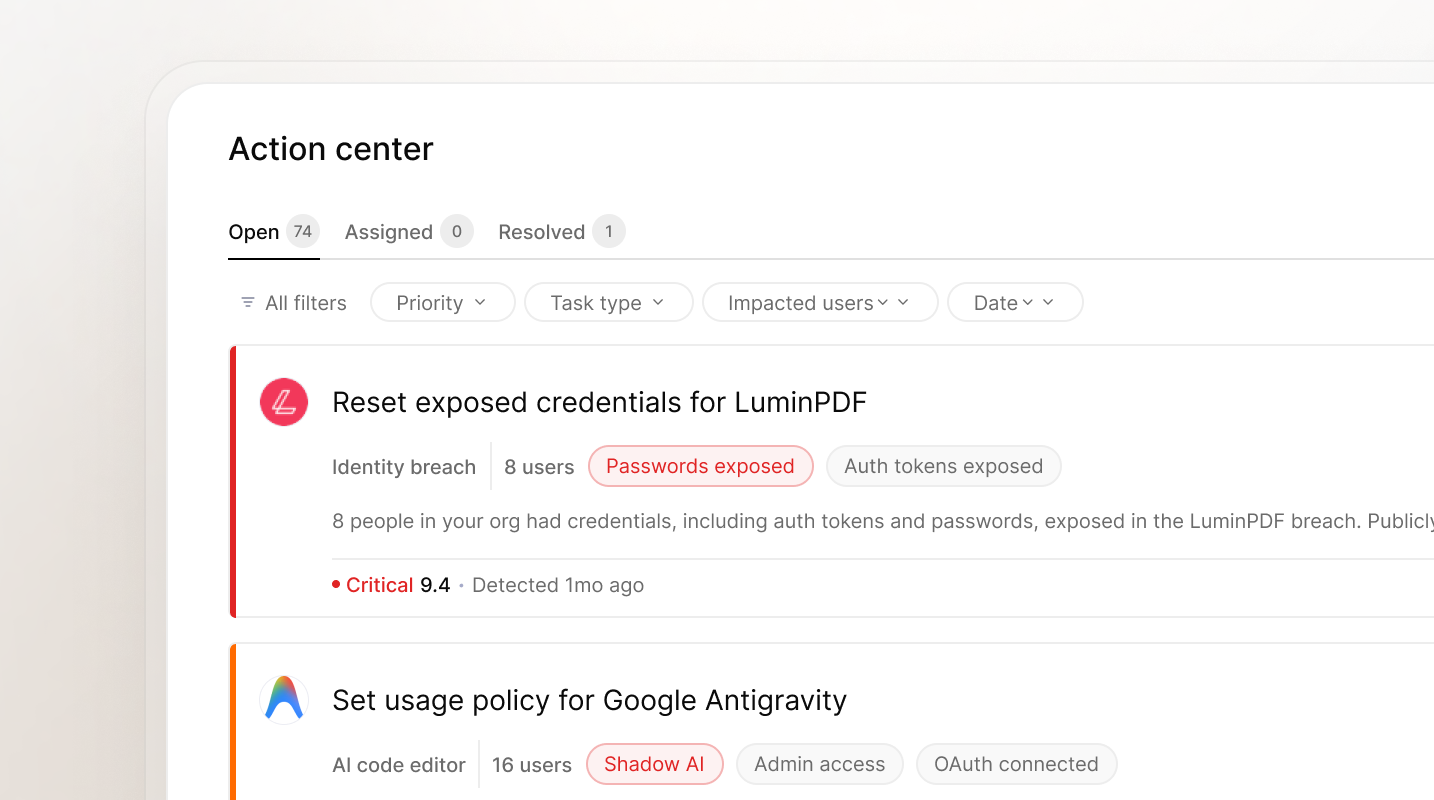
These User Risk features handle that routine work:
- The Application Usage Policy lets you set an organization-wide default for newly discovered apps, so discovery doesn’t create a review backlog. Team and role rules, plus user attributes like finance or executive, apply stricter rules where the risk is higher.
- The Action Center pulls everything User Risk finds into one list, ranked by the AI Analyst. The Unified Risk Score shows which people and teams carry the most risk, so you start each morning with the riskiest item first.
- Automated Validation confirms fixes with daily scans and updates scores, so the trend you show the board reflects what changed.
See how User Risk works, or take the product tour to see the full workflow.
The same quarter, with and without User Risk
One quarter of AI governance, one person running it. Here’s how the 12 weeks play out without User Risk, and then with it.
Before User Risk
Week 1. An expense audit turns up a dozen AI subscriptions you’ve never seen. You start a spreadsheet: app, owner, decision.
Week 3. Word gets around, and colleagues flag more. The spreadsheet has 40 rows, and you’ve decided on 15.
Week 6. A finance lead connects an AI tool to the team’s shared drive. Nobody flags it, so it never makes the spreadsheet.
Week 9. You send the third reminder email about the AI policy this quarter.
Week 12. The board slide reads “AI usage: under review.” A director asks whether you’re safer than last quarter. You say you think so.
The work was right. The method was a spreadsheet, and the spreadsheet was always a week behind.
After User Risk
Week 1. User Risk discovers the apps in use. New ones adopt the default you set, a category rule covers every AI notetaker at once, and stricter rules apply to finance and the executive team.
Week 3. More apps appear. They pick up the default on their own, so there’s no row to add.
Week 6. The finance lead connects the same AI tool to the shared drive. Its file access puts it at the top of Action Center, above the low-risk noise. You deal with it that morning, and the next day’s scan confirms the fix.
Week 9. No third reminder email. The default already covers what people keep adding.
Week 12. The board slide shows the Unified Risk Score trend for the organization and its riskiest teams. A director asks whether you’re safer. You point to the line.
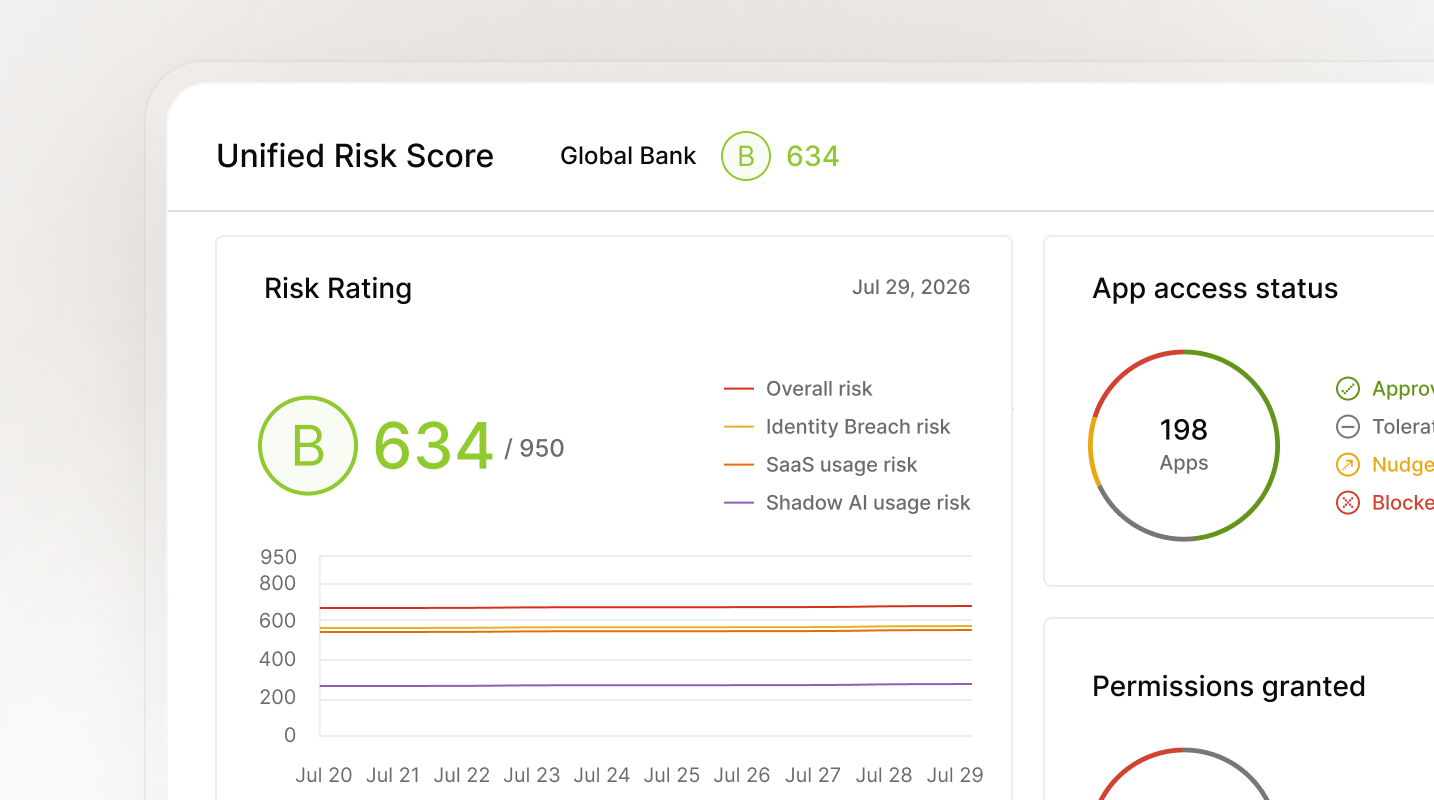
Same person, same quarter. The rules did the routine work, so you spent your time on the calls only you could make.
Felix Group Holdings built a similar setup for its lean IT team, and it’s already been through an AI governance readiness audit.
How Felix Group Holdings built governance it doesn’t have to rebuild
Felix Group spent two weeks on groundwork: discovery first, then classifying what it found, then enforcement. Now new shadow AI tools drop into the same policy structure, and any that warrant it move straight into vendor vetting in UpGuard Vendor Risk.
The payoff? More than a week saved on audit evidence prep, and a policy structure new tools drop into without a rebuild.
“If you’re not able to show that evidence in a quick turnaround, it gives the auditor the impression you’re not sure you actually have things under control. It’s not just governance — it’s demonstrating our capability.” — Tony Chan, Chief Information Officer, Felix Group Holdings.
Same title, more of your week back
Sure, your job title still has too many words in it. But the AI governance part doesn’t eat your week anymore.
We built User Risk for any team whose AI tool list grows faster than it can review, whether that’s a full security team or a team of one. Let the rules handle the routine, and keep your judgment for the decisions that need it.
At the beginning of this series, we outlined how governing shadow AI begins with finding the AI tools your directory misses. From there, you need to act by blocking risky actions and guiding users to safer alternatives. Finally, as this post explored, you need to prove it’s working without bloating headcount.
That’s User Risk: your AI policy in practice. It works in the browser to discover usage, block unapproved tools, and guide your workforce, then runs it all without inflating headcount, with a clean, precise way to prove to your leaders that you’re safer.
Get a demo and see what a quarter with User Risk could look like for your team.
Start from the beginning with part one: finding shadow AI
